

What this page answers
What an AI is never allowed to do on this account, whatever it is asked and whatever the playbook says.
Whose data and scope
- One store. The limits apply to every AI connected to the account through MCP, for everyone's connections. Changes you make in the dashboard yourself are not affected.
- Only the account owner can change these values; everyone else sees them read-only. A change takes effect within a minute.
- By design the AI cannot read or edit this page. The limits are enforced on the server when an AI stages a change; a blocked change is refused with the reason.
How to read it
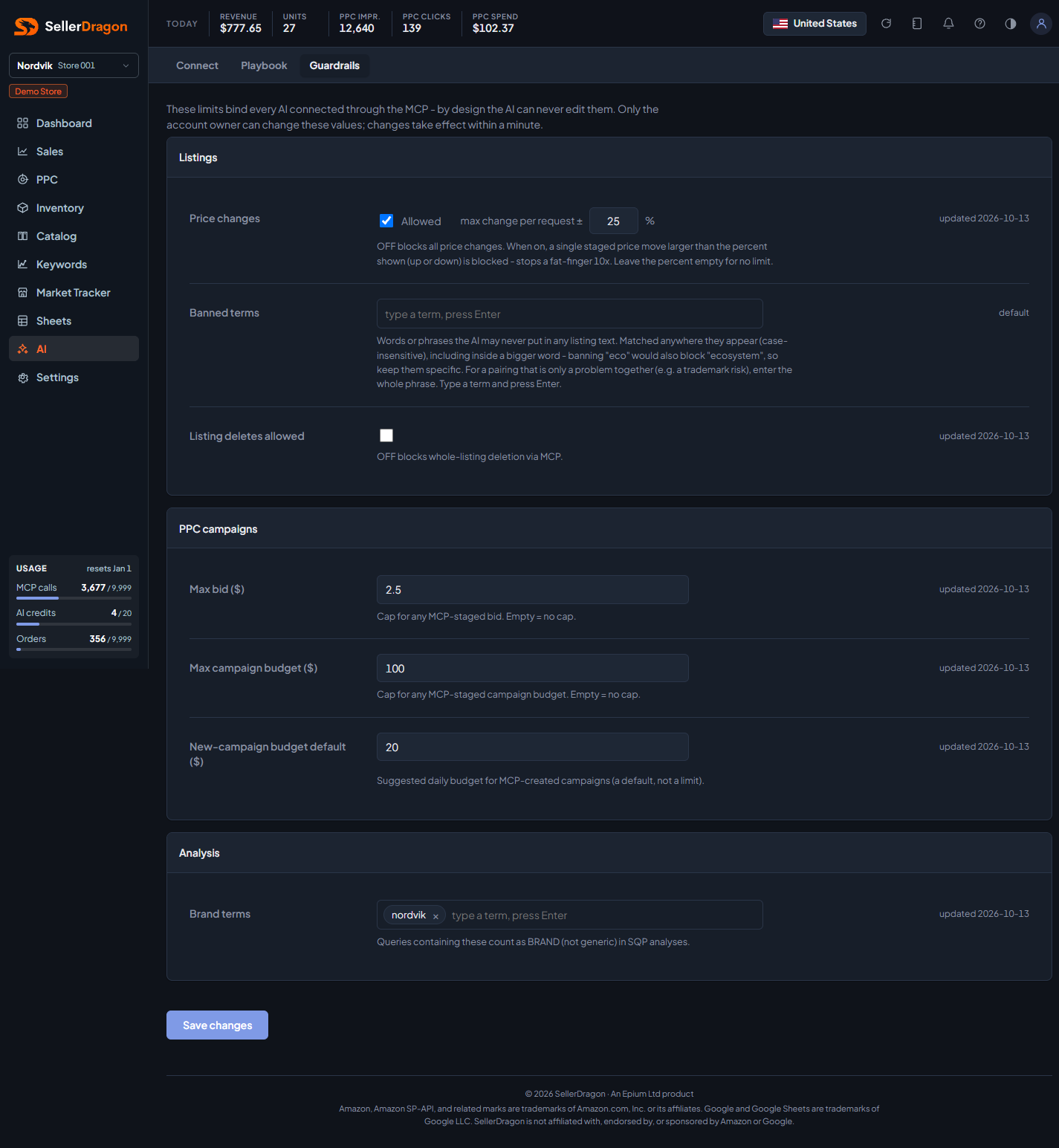
Each row is one setting with its control, the date it was last changed, and a line of help under it. Save changes writes the whole card.
Listings card
- Price changes allowed: off blocks any staged change that touches a price. When on, max change per request caps a single price move to that percentage of the current price, up or down; empty means no limit.
- Banned terms: words or phrases the AI may never put in any listing text. Matching is case-insensitive and inside bigger words too, so banning "eco" also blocks "ecosystem"; keep terms specific. Type a term and press Enter or comma to add it as a chip; the cross removes it.
- Listing deletes allowed: off blocks deleting a whole listing through MCP.
PPC campaigns card
- Max bid ($): cap for any bid an AI stages. Empty means no cap.
- Max campaign budget ($): cap for any campaign budget an AI stages. Empty means no cap.
- New-campaign budget default ($): the daily budget suggested for campaigns an AI creates. A default, not a limit.
Analysis card
- Brand terms: searches containing these words count as brand searches, not generic ones, in search query analyses.
Where to go next
- Playbook for the soft side: how you want each area handled.
- AI access to connect or revoke an AI client.
Something on this page unclear?
Ask us how