

What this page answers
How you want things done. Guardrails say what an AI may never do; the playbook says how you like it done, in your own words, for each area.
Whose data and scope
- One store. There is one playbook per area, shared by every AI connected to the account. The Daily desk briefing and the weekly review read them too.
- Only the account owner can edit; everyone else reads. The AI itself can read and, through its own tools, propose updates, but what is saved here is the current version.
- An area you have not written falls back to SellerDragon's standard playbook for that area, shown greyed under the editor. Saving an empty editor removes your text, so the standard applies again.
- Each playbook can hold up to 64,000 characters. Versions are kept; the page shows who saved the current one and when.
How to read it
Lens selector
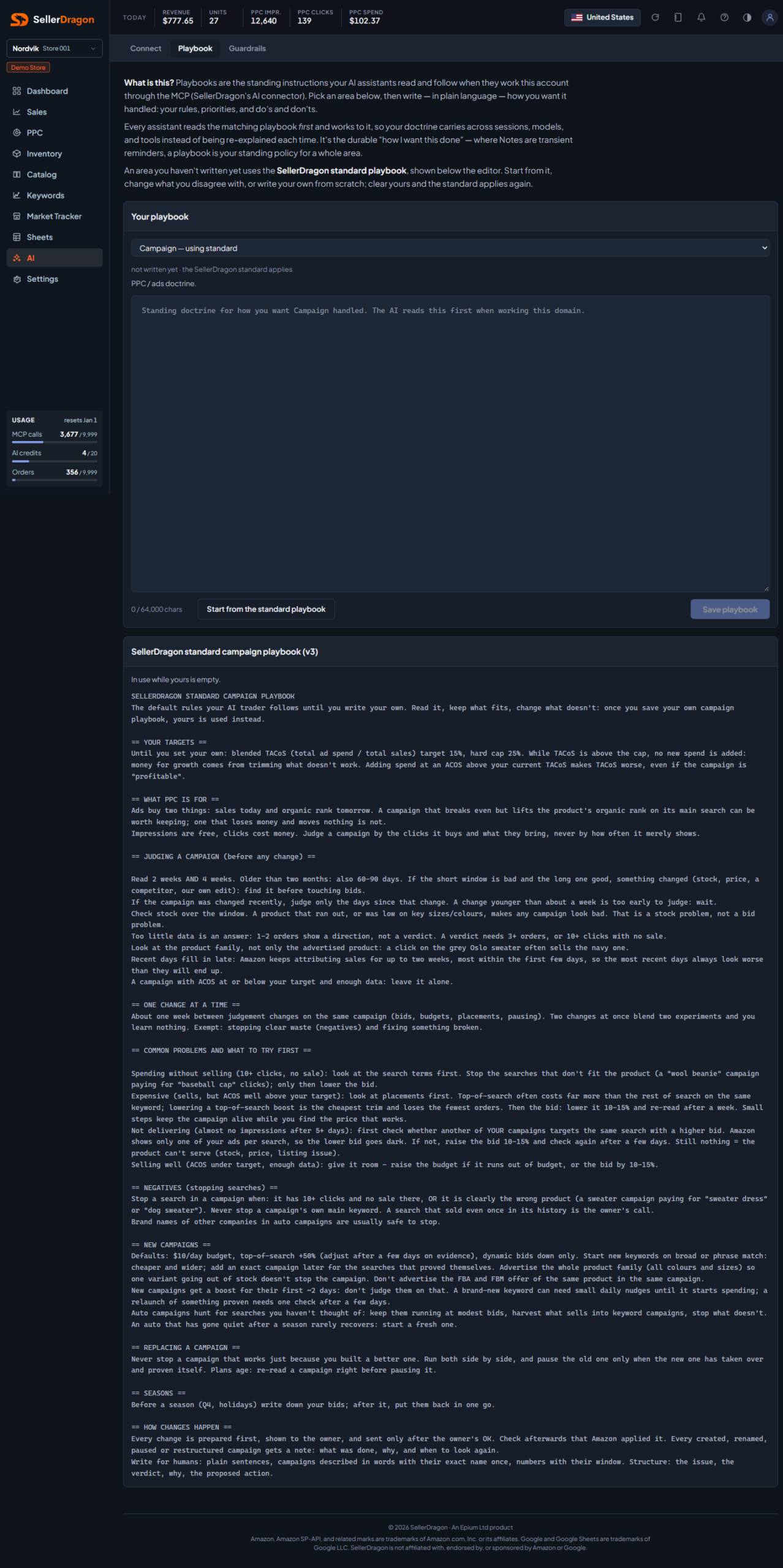
Pick the area: Campaign (PPC and ads doctrine), Listing (how you want listings optimised and copy written), Inventory (how you read stock and reorder), Keyword (keyword and rank doctrine) or Account (account-wide, cross-everything). The list says per area whether your own text or the standard is in use. Switching with unsaved changes asks first.
Your playbook
One large editor with a character count and Save playbook. Write plain rules: cost-of-sales targets, which products are premium by choice, how aggressively to raise bids, what never to say in copy, how long a new campaign gets before judgement. The AI quotes these words back when it holds something back.
SellerDragon standard
The standard for the selected area, read-only. While yours is empty it is in use, and Start from the standard playbook copies it into the editor so you can adapt it. Once you have your own text, the standard is still shown for ideas but no longer applies.
Where to go next
- Guardrails for the hard limits.
- Daily desk to see the playbook change what the AI says.
- Notes for one-off instructions pinned to a campaign, product or keyword.