

What this page answers
What you told yourself, or your AI, about a campaign, product, keyword or the account, and what is due when.
Whose data and scope
- One store. Notes carry a marketplace or apply to all markets; by default the page shows the current marketplace's notes plus the market-agnostic ones. The All markets toggle appears when the store sells in more than one.
- The same notes are read and written by every AI connected through MCP. The Daily desk and weekly review quote them when they hold something back, and the PPC manager shows a campaign's open notes in its popup.
- A note is pinned to an entity type (campaign, listing, inventory, keyword, portfolio or account) and optionally an id such as an ASIN, campaign or keyword. The type and id are fixed once the note is created.
- "Due today" is counted in UTC so the dashboard badge and the AI agree.
- Editing needs write access; read-only users see the notes without controls.
How to read it
Tabs and filters
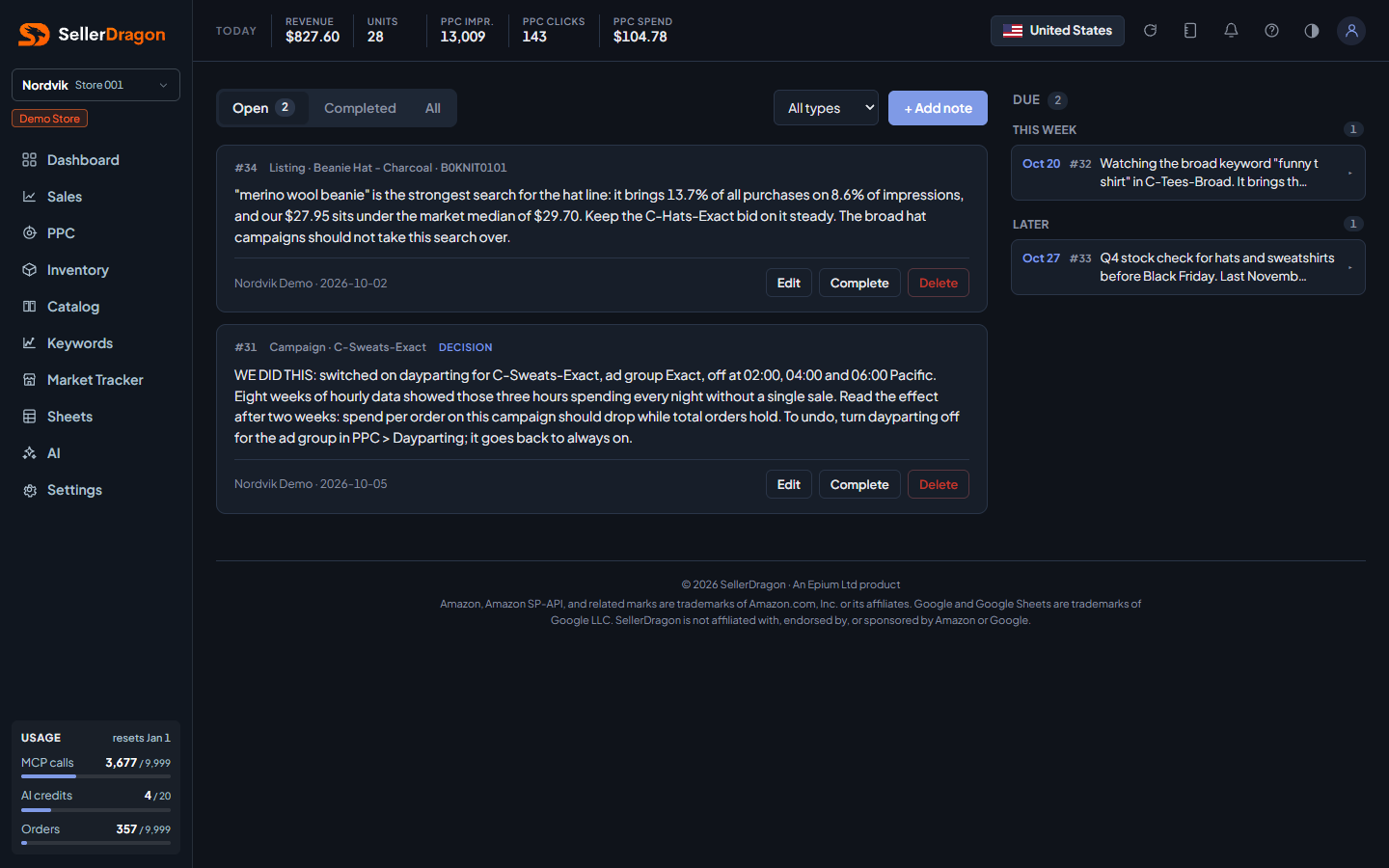
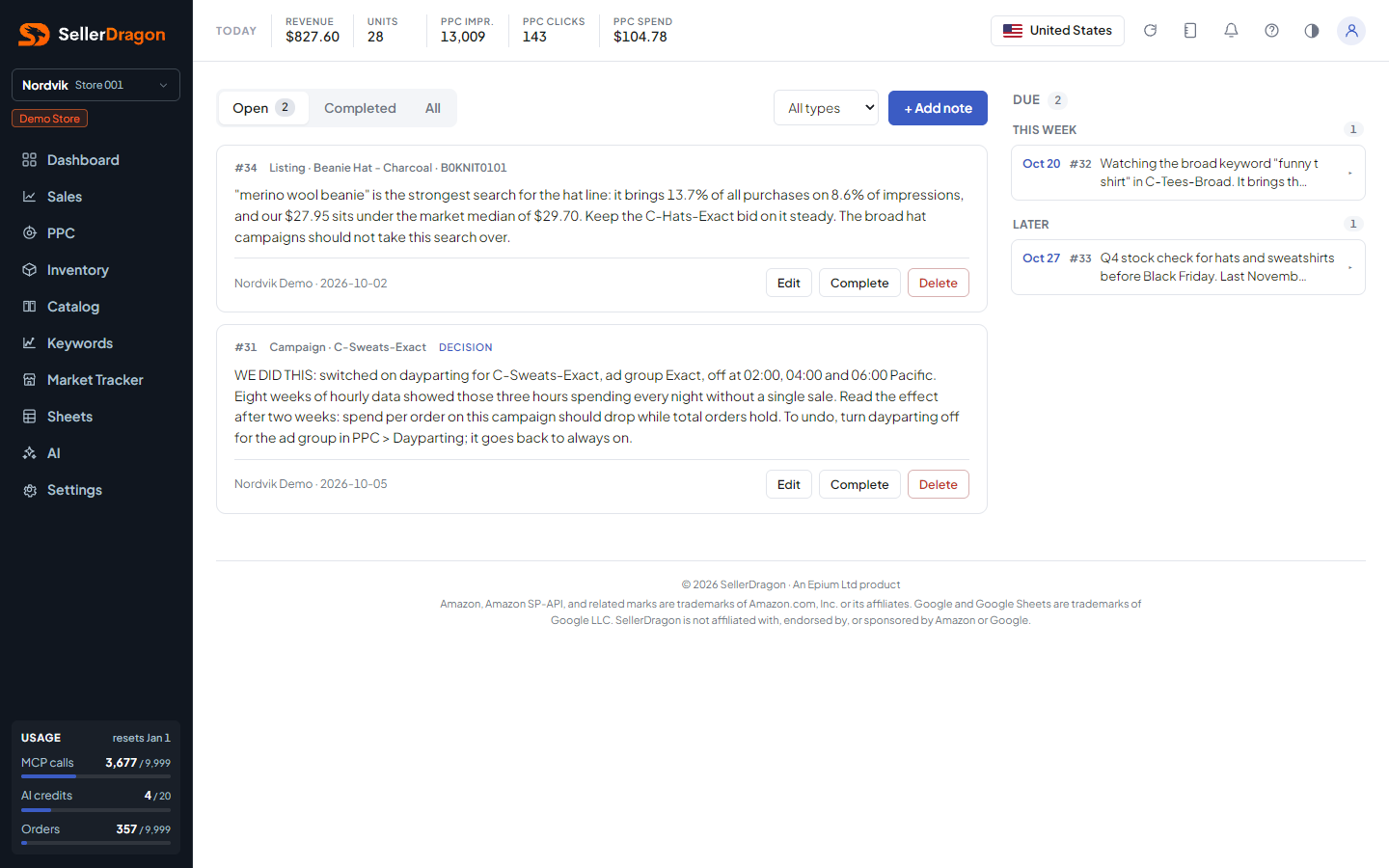
Open, Completed and All, with counts. A type filter narrows to one entity type. + Add note opens the editor.
General notes
Open notes without a due date, newest first. Each card shows its number, the type and entity, a kind tag such as DECISION when it is not a plain note, the marketplace when in the all-markets view, the text, and the author and date. Notes written by an AI carry its name as the author. Controls: Edit, Complete, Delete; a completed note shows Reopen.
Due agenda
Every open note with a due date, grouped by when it is due, soonest first. Collapsed items show a snippet; click to expand in place. The red badge on the Notes icon in the header counts the ones due today.
Tabs and popups
Note editor
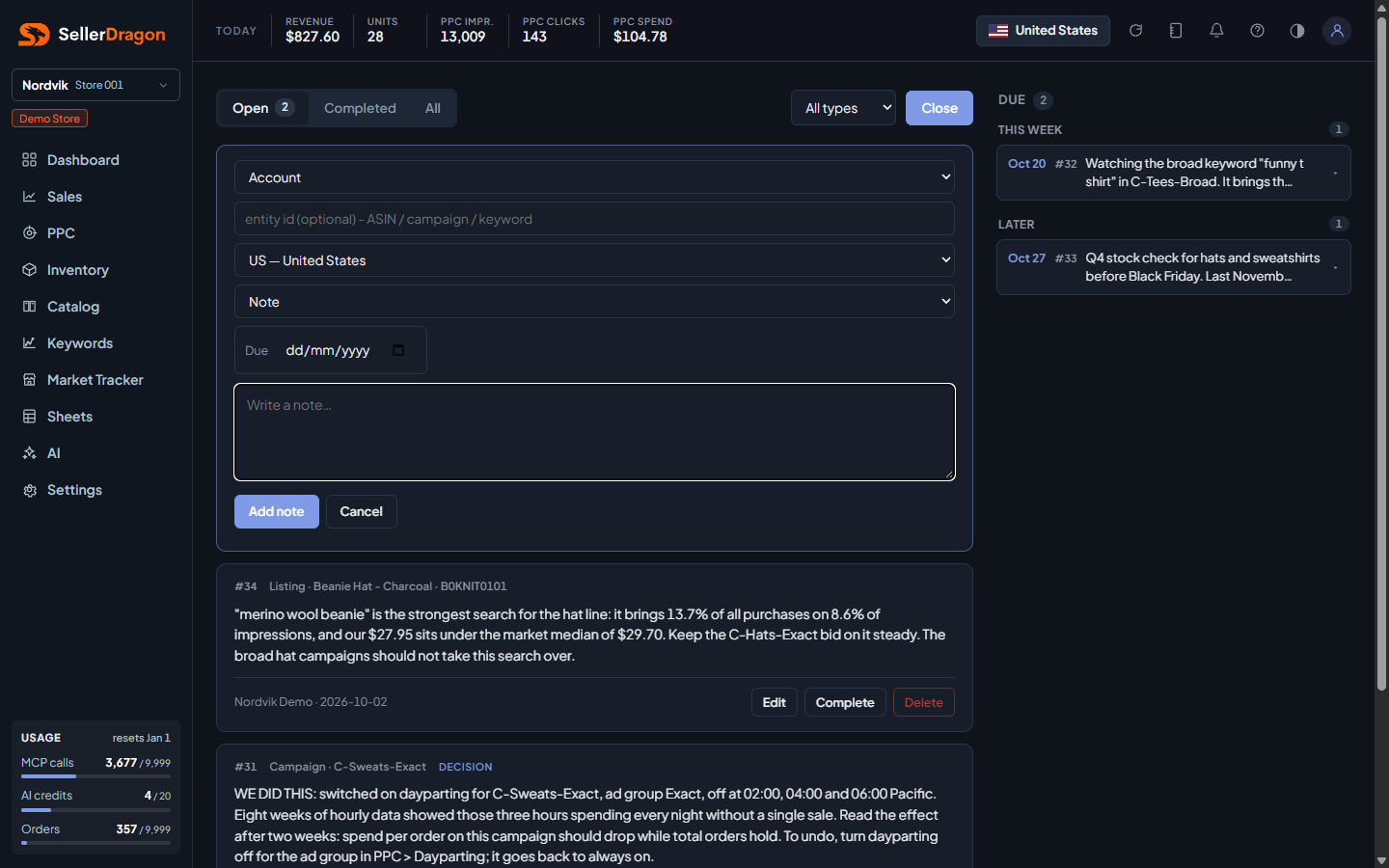
Entity type and id (only on create), the marketplace (defaults to the current one, fixed once created), the kind (note, reminder, decision or experiment), an optional due date, and the text. A due date puts the note in the agenda; without one it lands in the general list.
Where to go next
- PPC manager, where Set note on a campaign writes the same notes.
- Daily desk, which reads them.
- Playbook for standing policy rather than a single reminder.