

What this page answers
One question: which ad groups spend money in hours where they never sell, and how much would switching those hours off save. Where the data says dayparting would not help, the page says so.
Whose data and scope
- One store and one marketplace. Every ad group in an enabled campaign, across Sponsored Products, Sponsored Brands and Sponsored Display. SB and SD rows carry a tag.
- Hourly clicks and spend come from the Amazon Ads stream; orders and sales are ad-attributed (7-day for Sponsored Products, 14-day for Brands and Display). Hours are marketplace wall-clock.
- The window is fixed at the last 8 weeks of completed days, ending yesterday. The saving is the last 4 weeks' spend in the dead hours, scaled to a month.
- A dead hour is an hour that spent money in the last 8 weeks and made no sales. Nothing else. An hour that sells badly is a bid question, not a dayparting one, and is never suggested off.
- Every verdict and sentence is fixed wording filled with numbers. There is no AI on this page.
How to read it
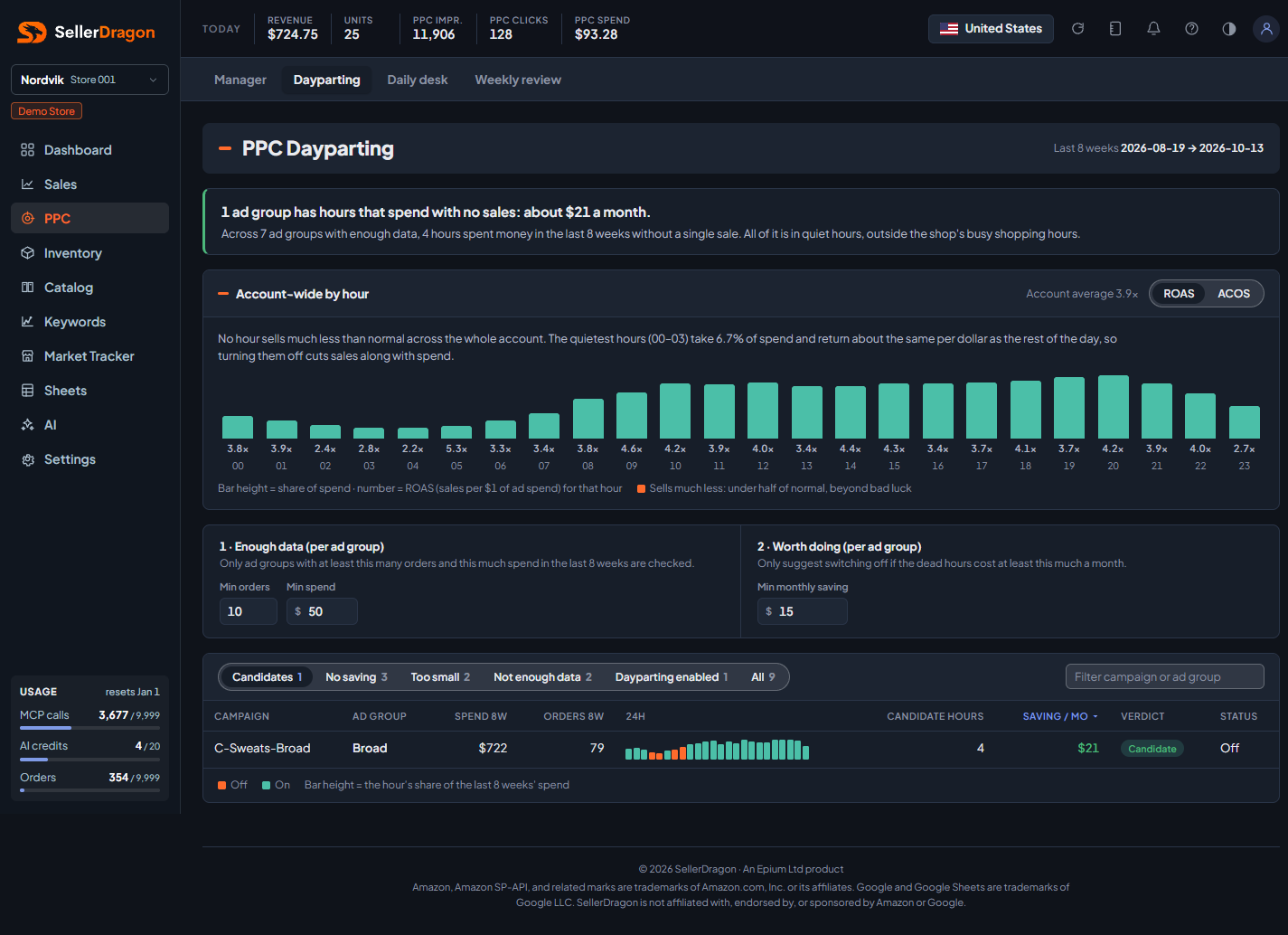
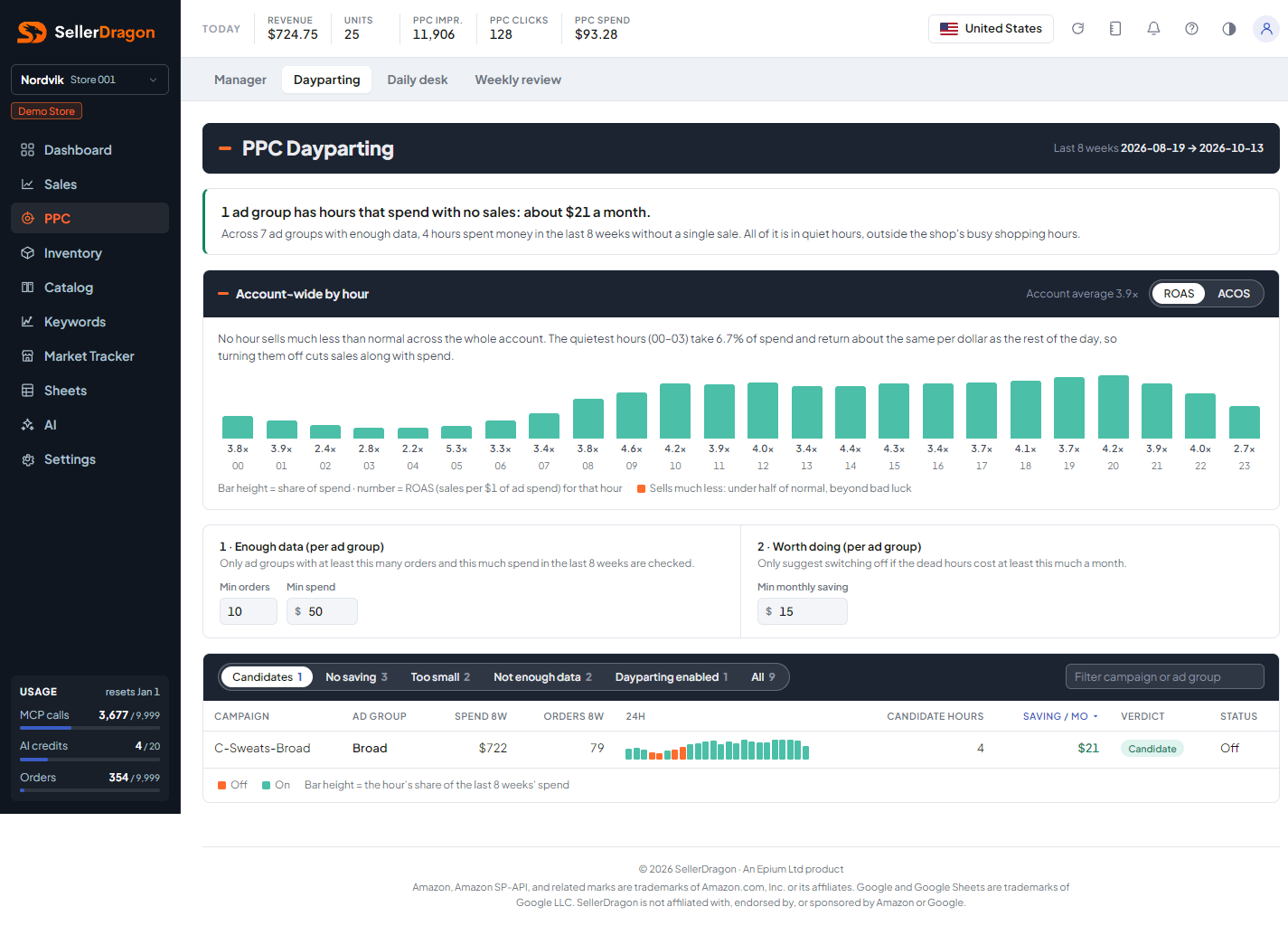
Account headline
The first line says how many ad groups have dead hours and the total monthly saving. The second line splits that into quiet hours (safe to switch off) and the shop's busy shopping hours, where a dead hour is more likely a coincidence. When nothing is worth switching off the headline says so and explains why lowering a budget is not the answer either.
Account-wide by hour
Every ad group pooled per hour over 8 weeks. Bar height is the hour's share of spend; the number is that hour's ROAS or ACOS (switch top right, remembered per viewer). An hour turns orange when it sells much less than normal, under half the account rate and beyond what bad luck explains. The sentence under the chart sums it up, including the share of spend in the quiet hours from midnight to 3am.
Levers
Two thresholds, saved per viewer. Enough data: only ad groups with at least this many orders and this much spend in 8 weeks are judged (defaults 10 orders, $50). Worth doing: only suggest switching off when the dead hours cost at least this much a month (default $15).
Ad group list
Tabs with counts: Candidates, No saving, Too small, Not enough data, Dayparting enabled (schedules that are starting or active), All. A search box filters by campaign or ad group.
- Spend 8w and Orders 8w are the ad group totals.
- 24h is a strip of 24 bars, height by share of spend. Orange bars are hours that are off: the real off hours of a running schedule, or the suggested off hours of a candidate.
- Candidate hours and Saving / mo describe the dead hours. Verdict is Candidate, No saving, Too small or Not enough data. Running schedules show a dash in these columns because the question no longer applies.
- Status is Off, Scheduled, Active, or Stopped with the reason.
Tabs and popups
Ad group popup
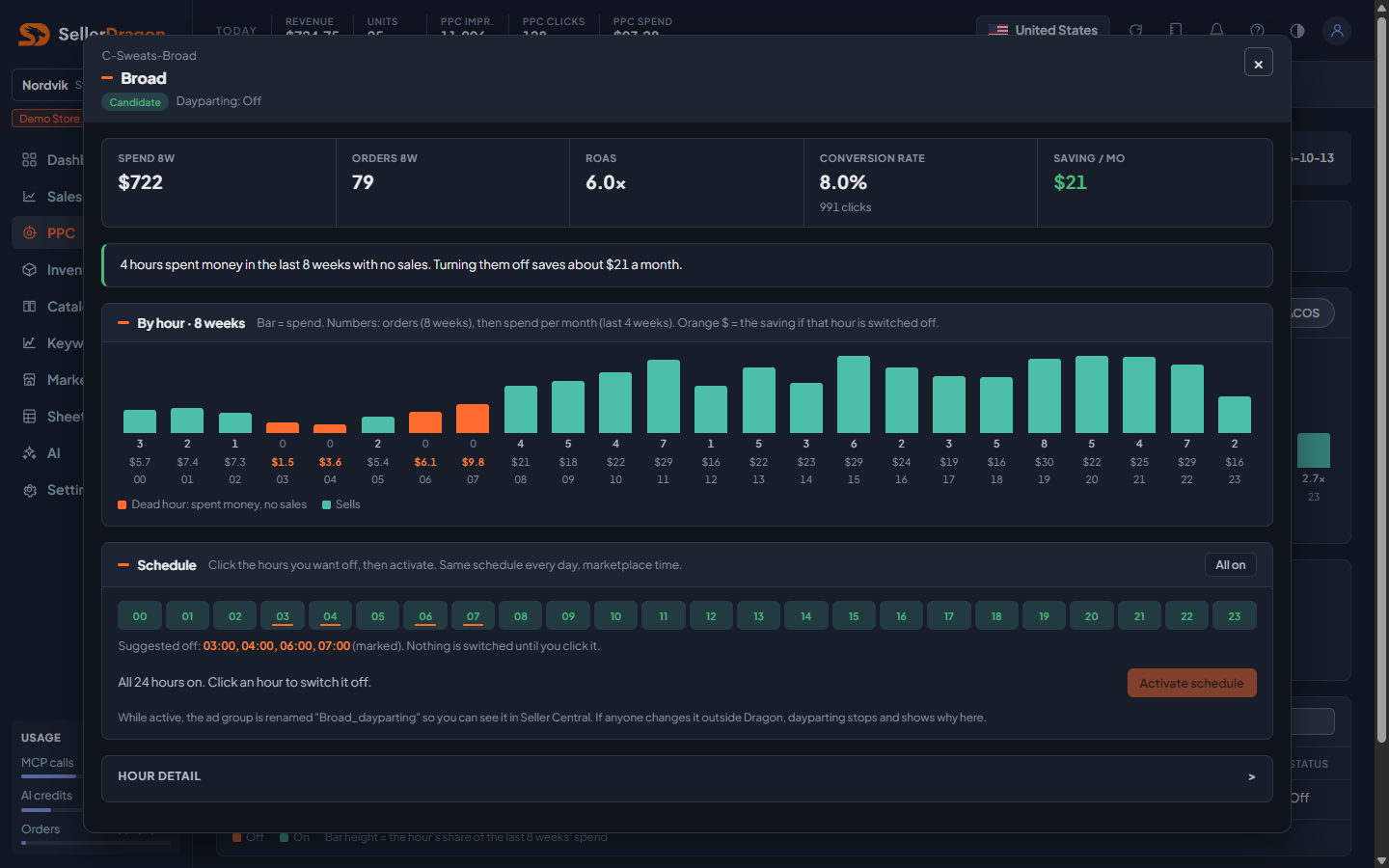
- KPI strip: spend and orders over 8 weeks, ROAS or ACOS, conversion rate with clicks, and the monthly saving.
- Verdict sentence with a green, red or grey border. An amber caution appears when a dead hour falls in the shop's normal shopping time, suggesting you check it again after a few weeks.
- By hour, 8 weeks: bar is spend, the number on top is orders, and the amount under it is monthly spend. Orange hours are dead; an orange amount is the saving for that hour.
- Schedule: 24 toggles, one mask applied every day in marketplace time. It opens with everything on, or with the saved schedule when one is running. Suggested hours are only marked; nothing is switched until you click it. As you switch hours off, the line under the toggles shows the saving and, in red, the orders and sales you would give up if a selling hour is included. Activate schedule becomes available once at least one hour is off. For a running schedule the buttons are Save changes and Deactivate.
- While active the ad group is renamed with a "_dayparting" suffix so it is visible in Seller Central. Dragon pauses and re-enables the ad group each hour. If anyone changes the ad group's state or name outside Dragon, the schedule stops and the reason is shown here; Dragon never overrides a human change.
- Hour detail (collapsed): a table per hour with clicks, spend, orders, sales, ROAS or ACOS, and the result (No spend, Dead, Sells).
Read-only users see the buttons greyed out. Accounts on a plan without PPC writes can still deactivate a running schedule.
Where to go next
- PPC manager for bids, which is the right tool for hours that sell poorly.
- Daily desk notes when a schedule is already running on a campaign it mentions.