

What this page answers
How much FBA stock each SKU has right now and how long it will last.
Whose data and scope
- One store and one marketplace. FBA stock only; stock you hold yourself for FBM orders is not shown here.
- Numbers come from the latest FBA inventory snapshot Amazon gave us, usually a few hours old. Inbound here is Amazon's own inbound figure from that snapshot; the Inbound page uses the shipment reports, which are more accurate.
- Reserved is worked out as warehouse quantity minus sellable, unsellable and researching units, so it includes units in transfer between Amazon warehouses, which Amazon's own "reserved" figure leaves out.
How to read it
Status filter and totals
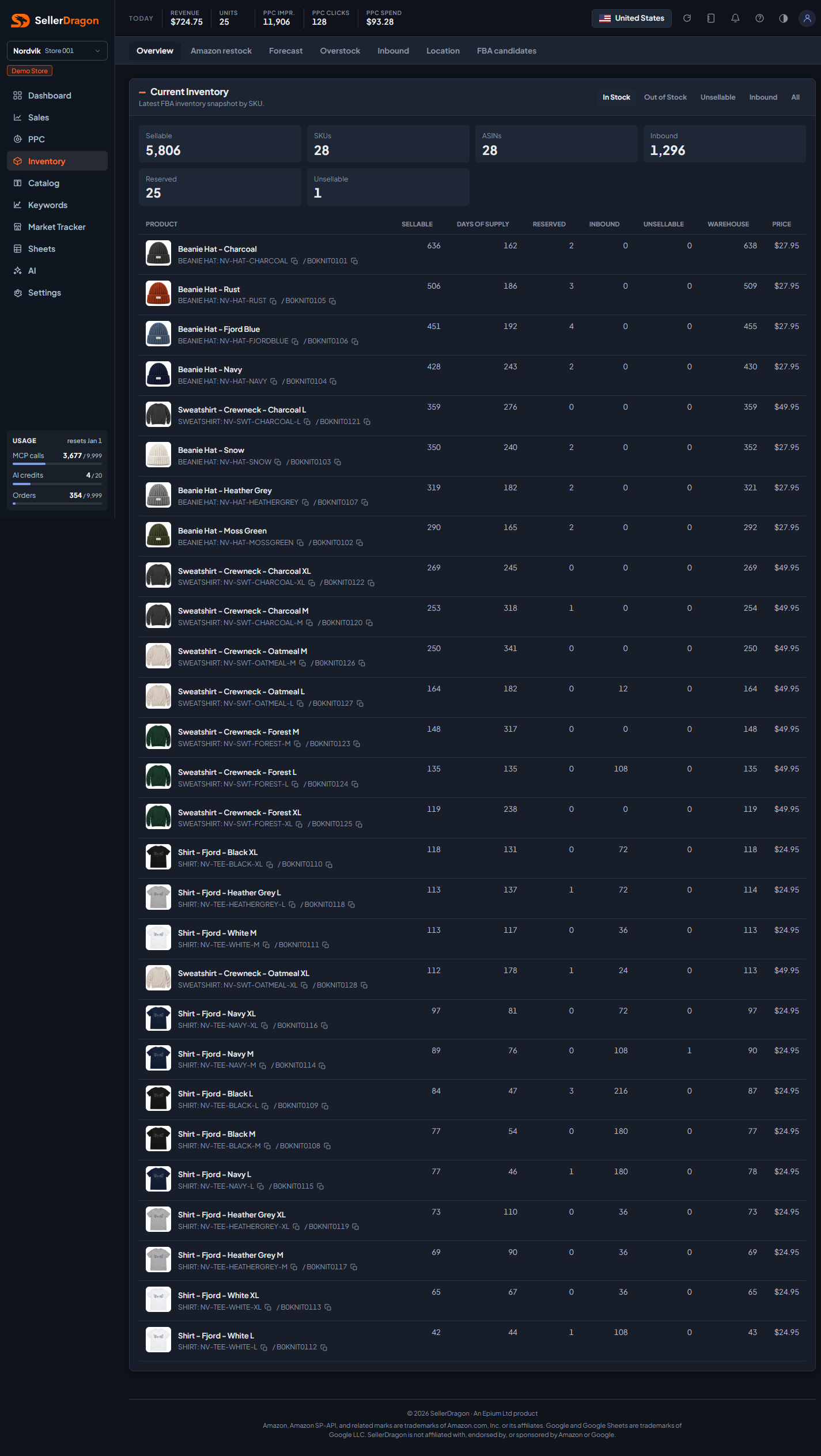
The buttons at the top filter the table: In Stock (sellable above zero, the default), Out of Stock, Unsellable, Inbound, or All. The tiles show totals for the filtered rows: sellable units, SKUs, ASINs, inbound, reserved and unsellable.
Inventory table
- Product shows the display name, group and SKU, and the ASIN. Copy buttons copy the SKU or ASIN. The name links to the listing page.
- Sellable is the units customers can buy right now.
- Days of supply is Amazon's own estimate from the FBA inventory report, based on its view of your sales rate.
- Reserved is units tied up in customer orders, in transfer or being measured.
- Inbound is units on their way to Amazon, as the snapshot reports them.
- Unsellable is damaged or otherwise unsellable units sitting at Amazon.
- Warehouse is the total physical units Amazon holds for the SKU.
- Price is the current listing price.
Click a column header to sort.
Where to go next
- Forecast for what to send and when.
- Amazon restock for Amazon's own replenishment advice.
- Inbound for shipments in progress.
- Overstock for aged units.
Something on this page unclear?
Ask us how