

What this page answers
Where the store ranks on Amazon for the searches you care about, across all products at once, and which keywords moved.
Whose data and scope
- One store and one marketplace.
- A keyword is tracked when at least one product has it on its keyword list. We search Amazon's results for each tracked keyword daily and record where your products appear, down to a position cap.
- Products that appear in the results for a keyword without tracking it are recorded too, marked Borrowed. Borrowed ranks cost nothing and last only while some product keeps the keyword tracked.
- Keywords are added and removed on each product's listing page under Keywords, Manage Keywords. This page can also untrack a product from a keyword and add a product to one.
- Each distinct tracked keyword counts against the store's search budget, which is a plan limit.
How to read it
Summary tiles
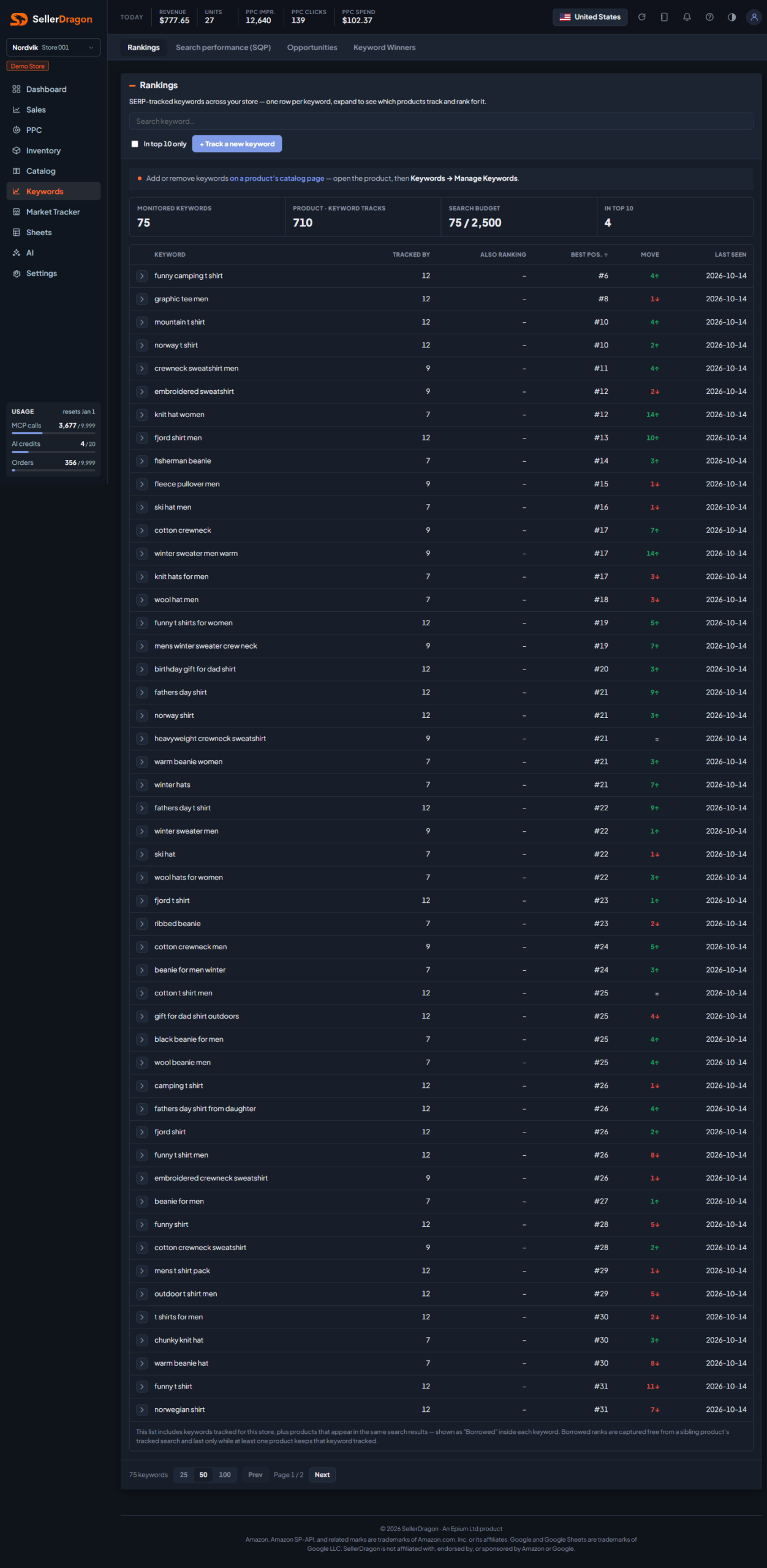
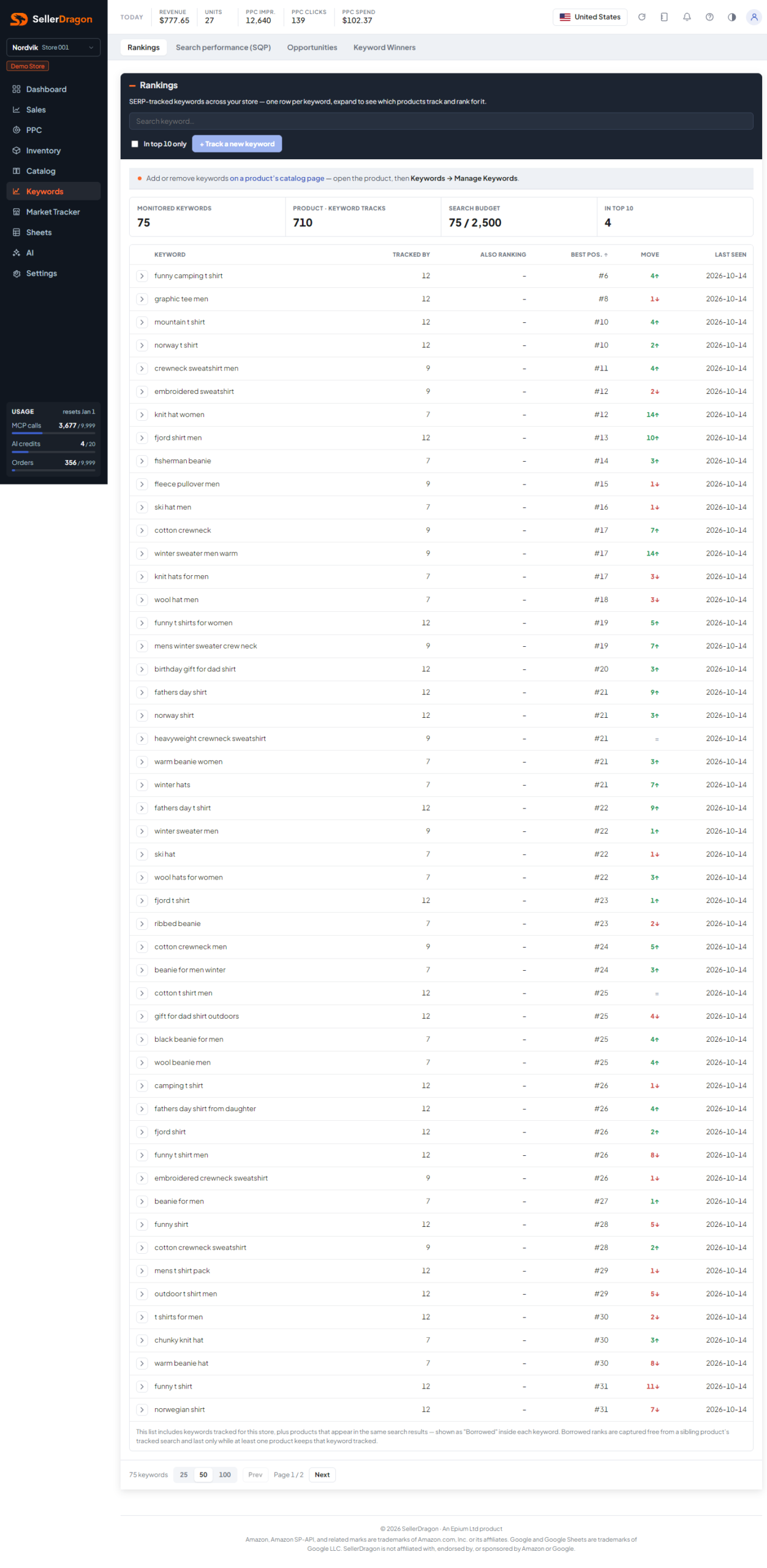
Monitored keywords is the number of distinct tracked keywords. Product · keyword tracks counts every product-keyword pair. Search budget is the distinct keywords against the plan cap. In top 10 counts keywords where at least one product is in the first ten results.
Monitored keywords table
Search by keyword text, tick In top 10 only to shorten the list, and sort by clicking a header.
- Tracked by is how many of your products track the keyword. Also ranking is how many more rank for it without tracking it.
- Best pos. is the best position any of your products holds right now.
- Move is the change of that best position since 7 days earlier, with an arrow; up is better.
- Last seen is the date of the latest search.
Keyword detail
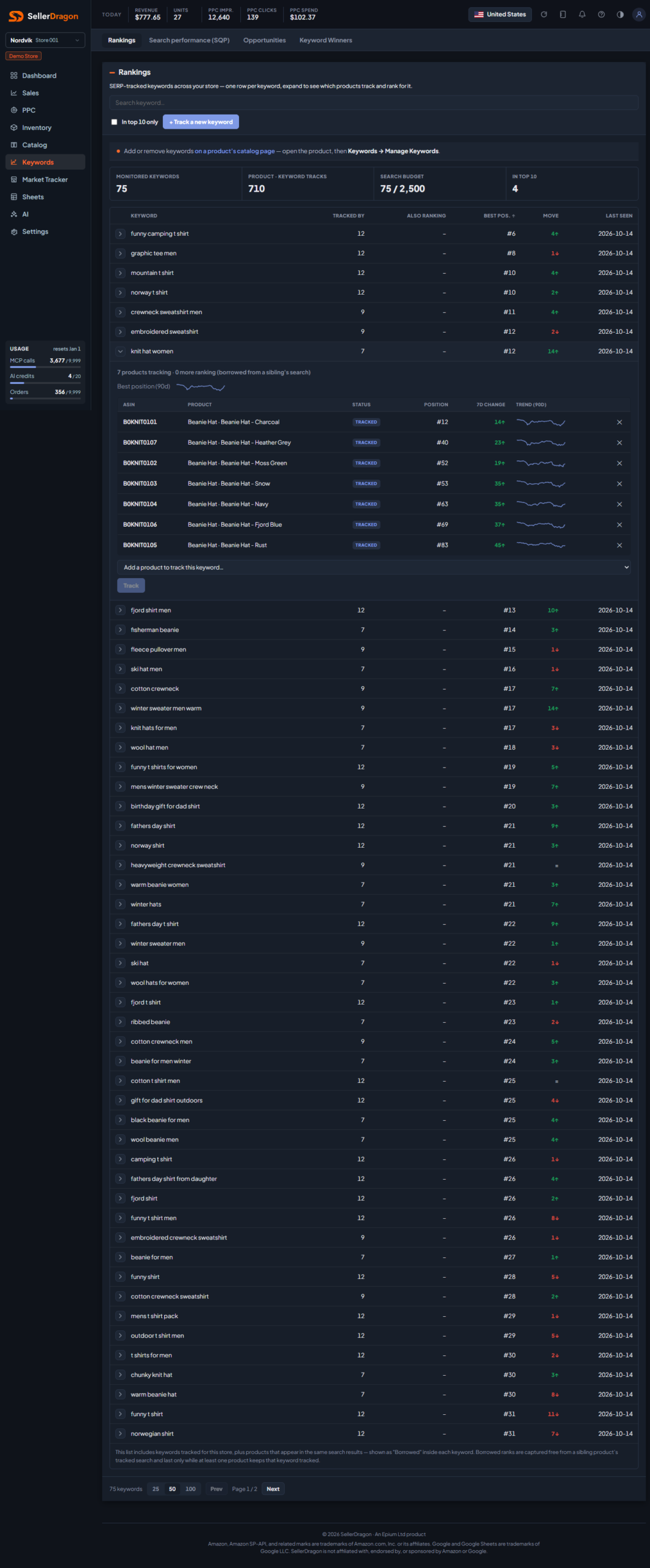
Click a row to expand it: a 90-day chart of the keyword's best position, then one line per product that tracks or ranks for it, with its status (Tracked or Borrowed), current position, 7-day change and a 90-day trend sparkline. The cross stops tracking that product for the keyword. The picker at the bottom adds another product to the keyword.
Track a new keyword
The button at the top opens a form: type the keyword and pick the product it belongs to. It writes the same keyword list as the product page.
First-time panel
While nothing is tracked, the page shows your best sellers with the real searches shoppers used to find them (from Brand Analytics), so you can add the right keywords with one click. Without Brand Analytics data yet, it shows a three-step explainer instead.
Where to go next
- Listing: Keywords to manage one product's keyword list.
- Keyword Winners for the keywords where you are already near the top.
- Search performance (SQP) for the market side of each search.