

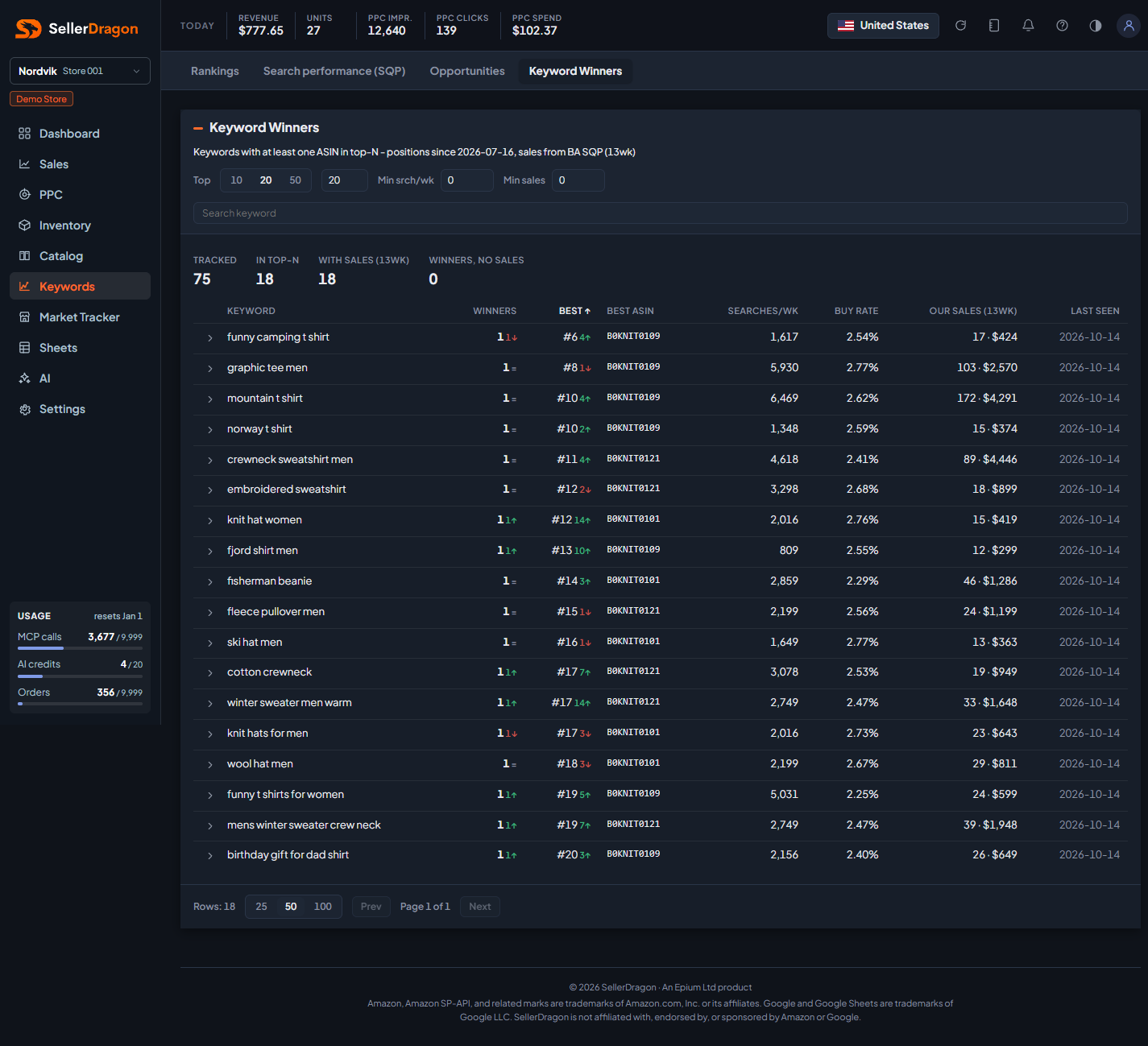
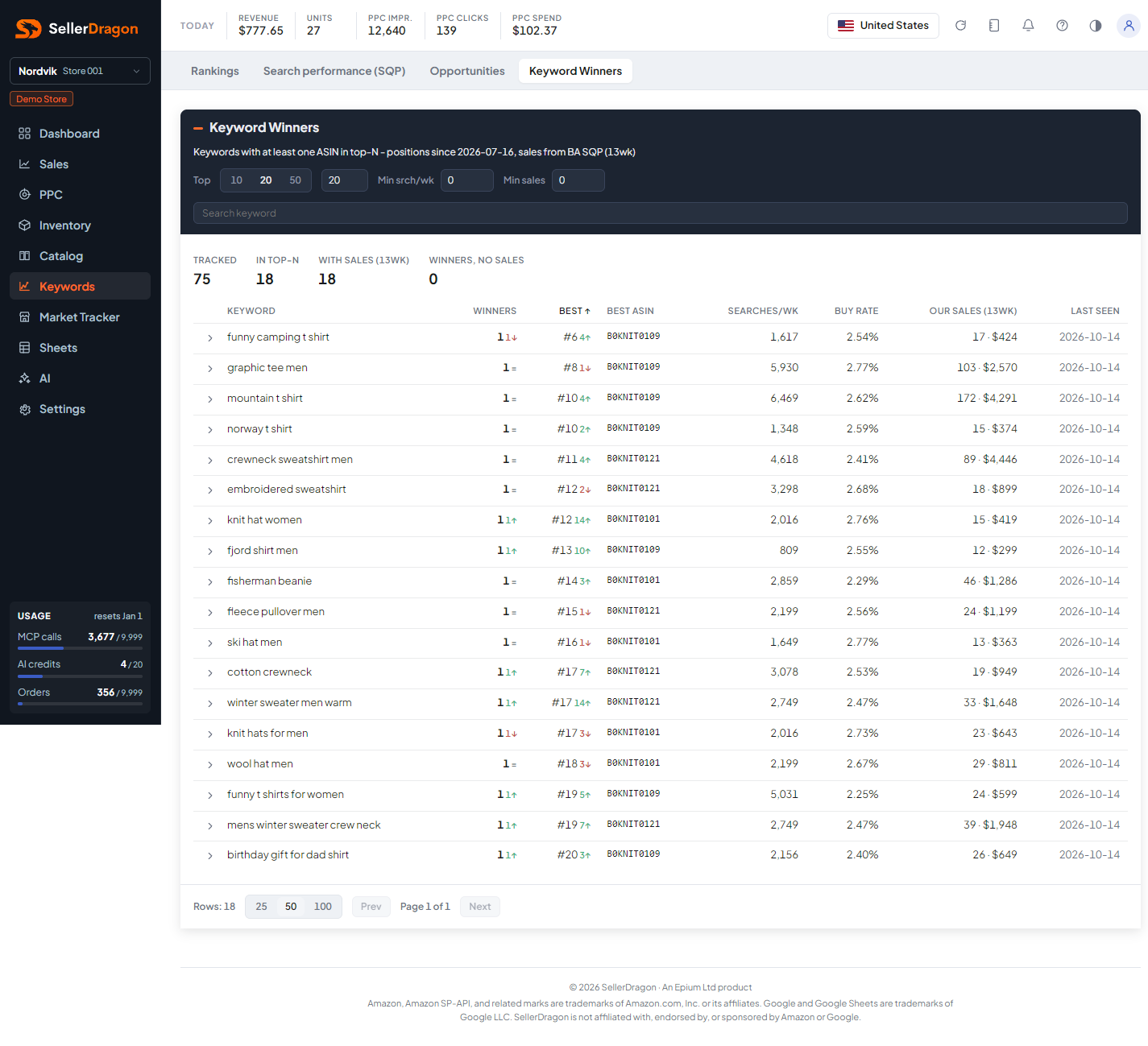
What this page answers
Which searches you are already winning on, so you can defend them, and which of those wins are not turning into sales.
Whose data and scope
- One store and one marketplace. Only tracked keywords with a product currently inside the top N are listed; the summary tiles count the whole tracked set.
- Positions come from the daily searches behind the Rankings page, since the date in the subtitle. Searches per week, buy rate and sales come from Amazon's Search Query Performance over the last 13 weeks, which needs Brand Registry.
How to read it
Top N and filters
Top 10, 20 or 50, or type your own N. Min srch/wk and Min sales hide small searches. The search box filters by keyword.
The tiles: Tracked keywords in total, In top-N right now, With sales (13wk), and Winners, no sales, the ones to look at first.
Winners table
- Winners is how many of your products are inside the top N, with the change against 7 days ago.
- Best is the best position any of them holds, with its 7-day change; Best ASIN is which product.
- Searches/wk and Buy Rate describe the market on that search.
- Our Sales (13wk) is units and value this search brought the store, from Search Query Performance.
- Last Seen is the date of the latest search.
Sort by any header; rows per page and the pager sit under the table.
Tabs and popups
Keyword detail
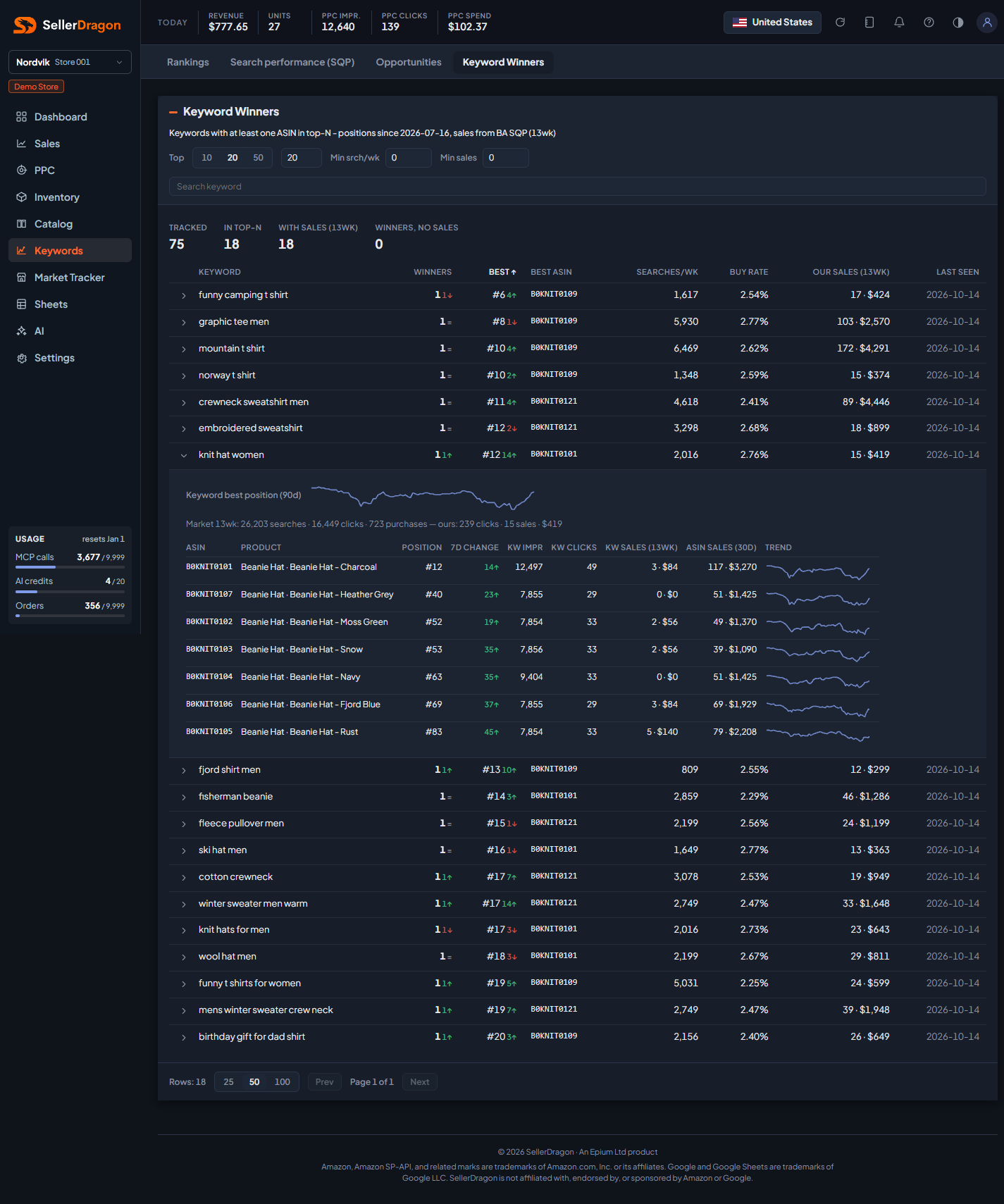
Click a row: a 90-day chart of the keyword's best position, the market totals over 13 weeks (searches, clicks, purchases and your share), then one line per ranking product with its position, 7-day change, and the keyword's impressions, clicks and 13-week sales for that ASIN, plus the ASIN's total 30-day sales and a trend sparkline. Products ranked beyond position 100 are counted but not listed.
Where to go next
- Keyword rankings for every tracked keyword, winning or not.
- PPC manager to check whether a winning keyword still needs the ad spend behind it.
- Search performance (SQP) for the full market data of a search.