

What this page answers
How a market you care about is doing, week by week, and who is winning it. It works for searches you already sell in and for searches you are only considering.
Whose data and scope
- One store and one marketplace. Watchlists are saved per store; up to 20 per store, each with up to 10 search terms.
- Who wins each search comes from Amazon's search terms report (Brand Analytics), which lists the three most-clicked products per search per week, across all sellers. Up to 52 weeks are kept.
- Searches, purchases and spend are Amazon's own counts for the term where your Search Query Performance covers it (that needs Brand Registry and at least one of your products appearing on the search). For a term you do not appear in, searches are estimated from Amazon's search rank using a curve fitted on your own terms, marked EST with its typical error; purchases and spend have no estimate.
- Spend is purchases times the median purchase price. Your share is your purchases divided by all purchases.
- Product details (title, image, price, sales rank) come from Amazon's catalog and are cached for up to 7 days. Fetching them uses your store's own catalog quota.
- Each distinct search term across watchlists and tracked keywords counts against the store's search budget, a plan limit. Read-only users can view but not change watchlists.
How to read it
Watchlists list
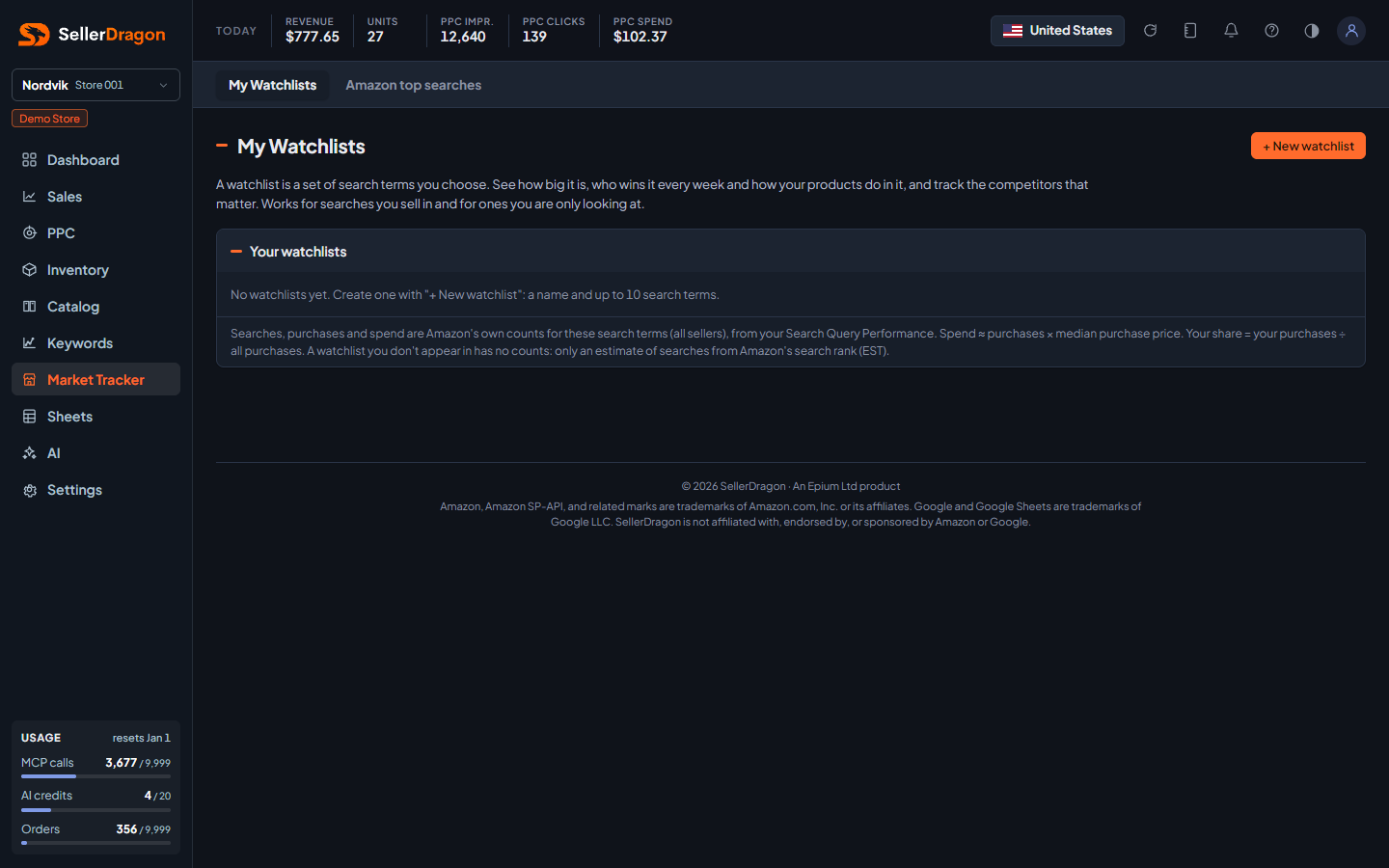
One row per watchlist with its search terms, searches per week, purchases per week, spend per week, your share, how many products you track in it, and new suggestions since you last looked. Click a row to open it.
New watchlist form
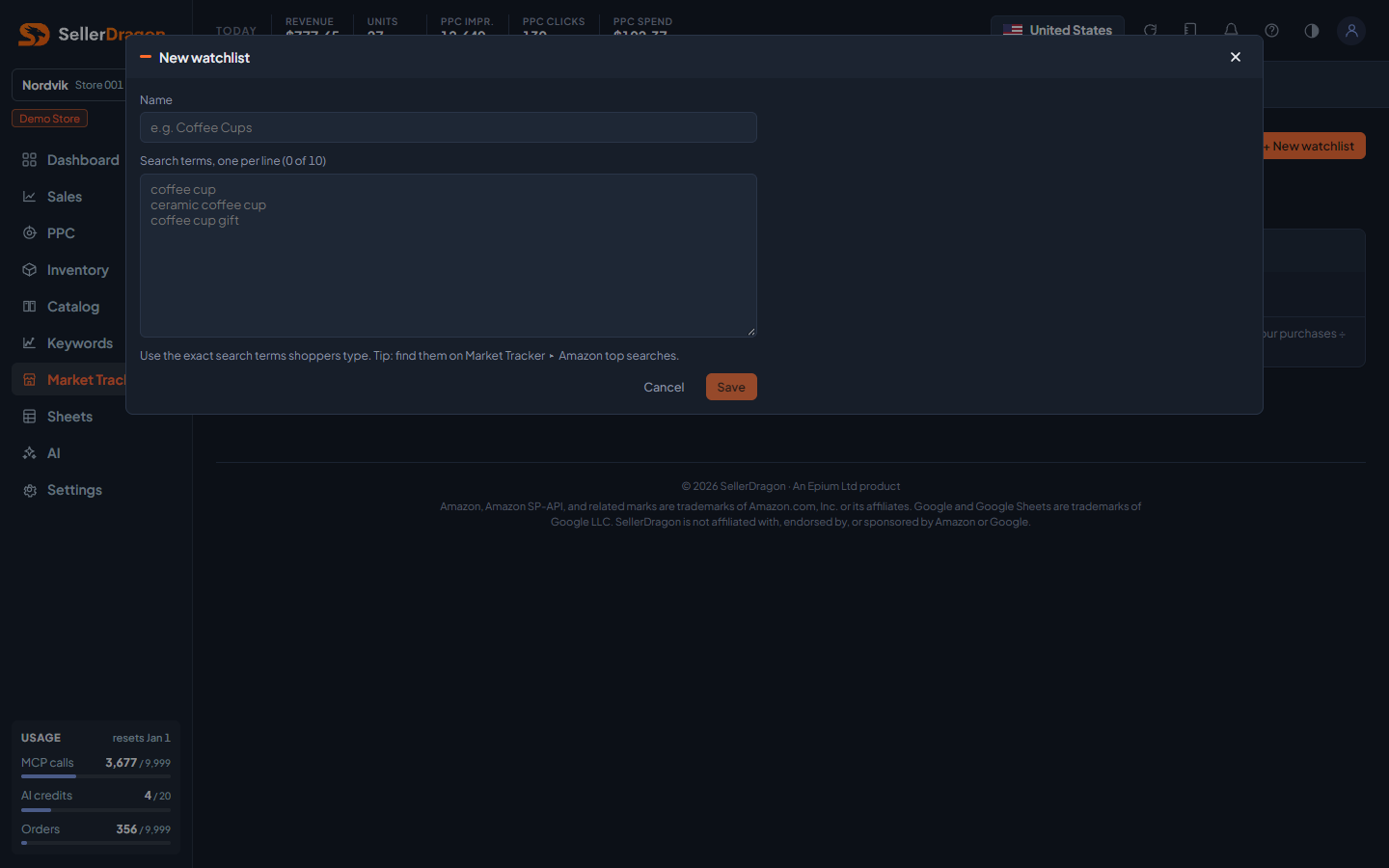
A name of up to 60 characters and one search term per line, up to ten. Use the exact words shoppers type; the Amazon top searches page is the place to find them.
Watchlist header and totals
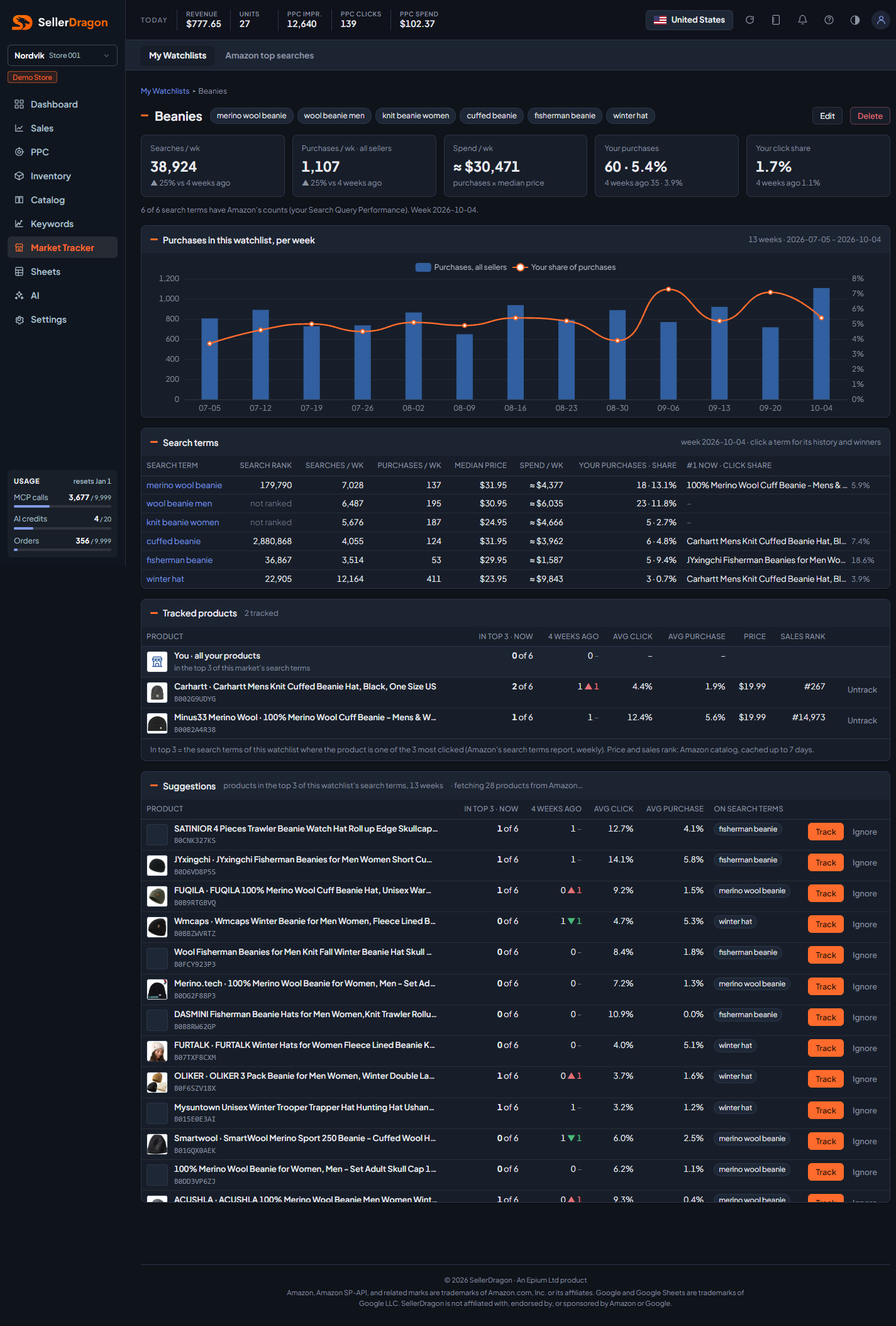
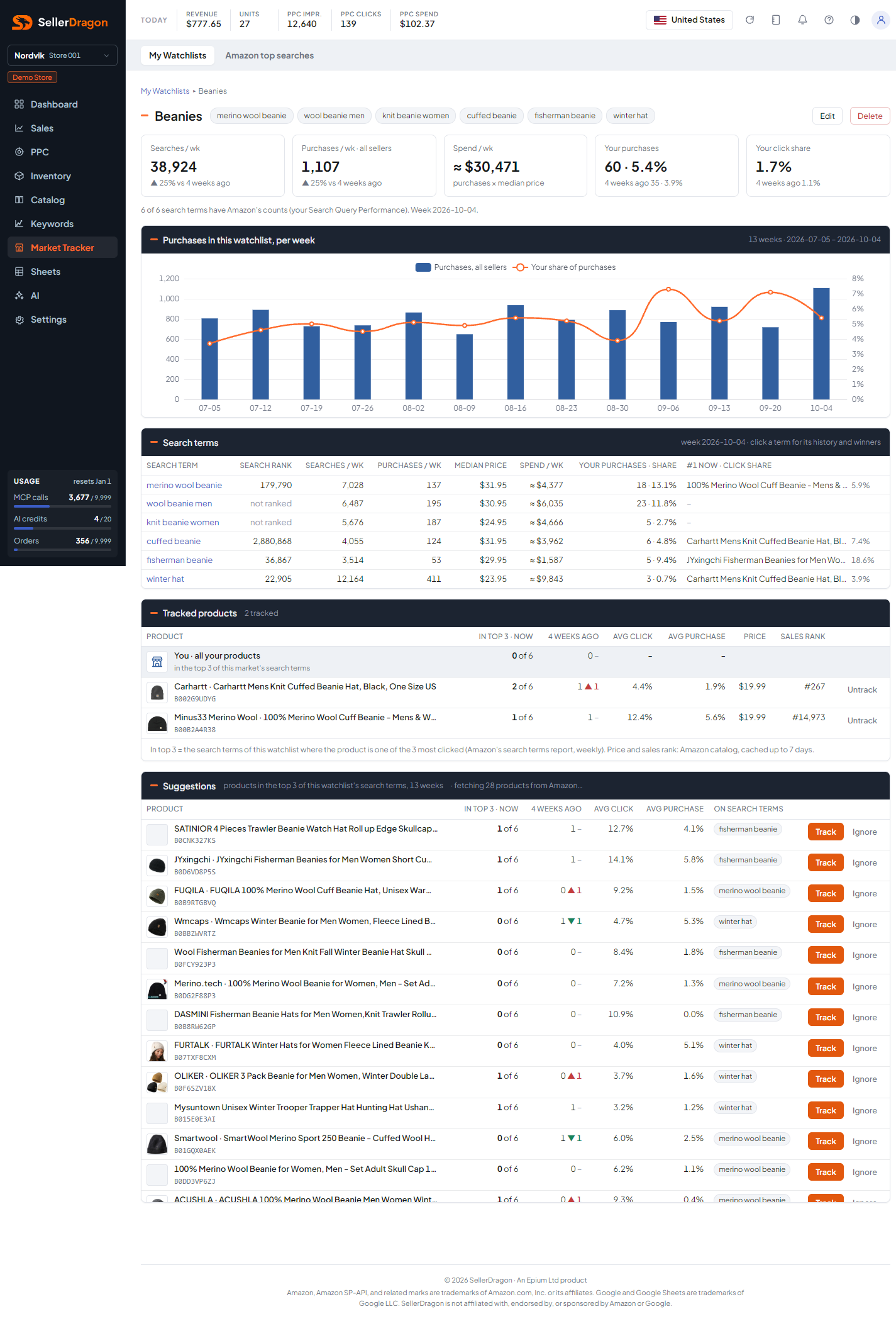
The terms as chips, Edit and Delete, then four tiles: searches per week, purchases per week across all sellers, spend per week, your purchases with your share, and your click share, each with the change against 4 weeks ago. A line says how many of the terms have Amazon's real counts and which week is shown. The chart plots purchases per week over the last 13 weeks, with your share where counts exist, or estimated searches otherwise.
Search terms table
Per term for the latest week: Amazon's search rank (1 is the most searched), searches, purchases and median price, spend, your purchases and share, and the product that is number one now with its click share. Click a term for its history.
Tracked products
The competitors and own products you track in this market: how many of the terms they are in the top 3 for now and 4 weeks ago, their average click and purchase share on those terms, price and sales rank. The first row is you, all your products together. Untrack removes a product.
Suggestions
Every product that was in the top 3 of any term in the last 13 weeks, strongest first, with the same columns plus the terms it wins. Track moves it to the tracked table; Ignore hides it (undo is one click). While Amazon details are still being fetched the header says so and the page refreshes by itself.
Tabs and popups
Search term popup
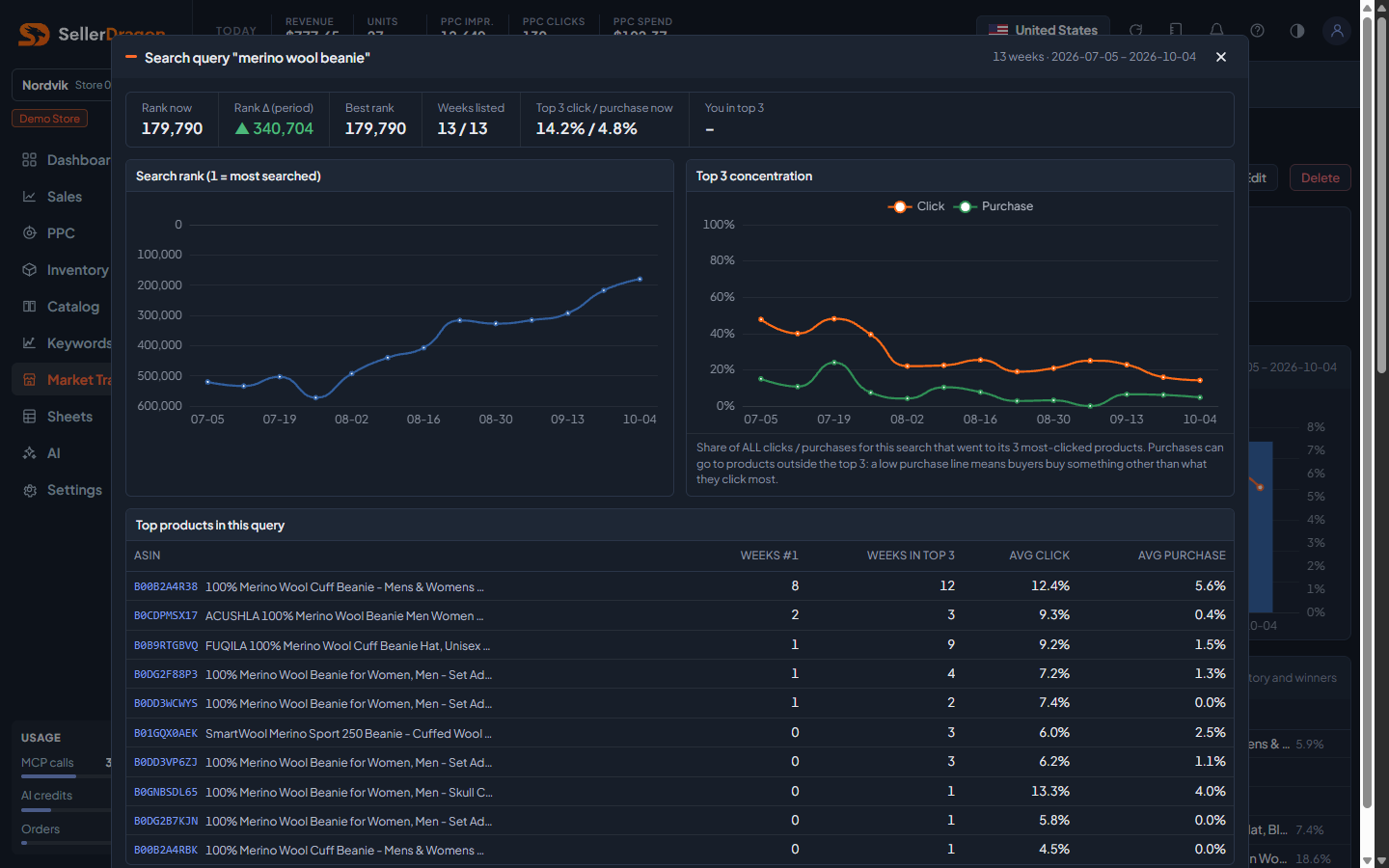
One term over the watchlist's weeks: its search rank and rank change, how concentrated the clicks and purchases are in the top 3, and the winners table listing every product that held a top-3 spot with weeks at number one, weeks in the top 3 and average click and purchase share.
Product popup
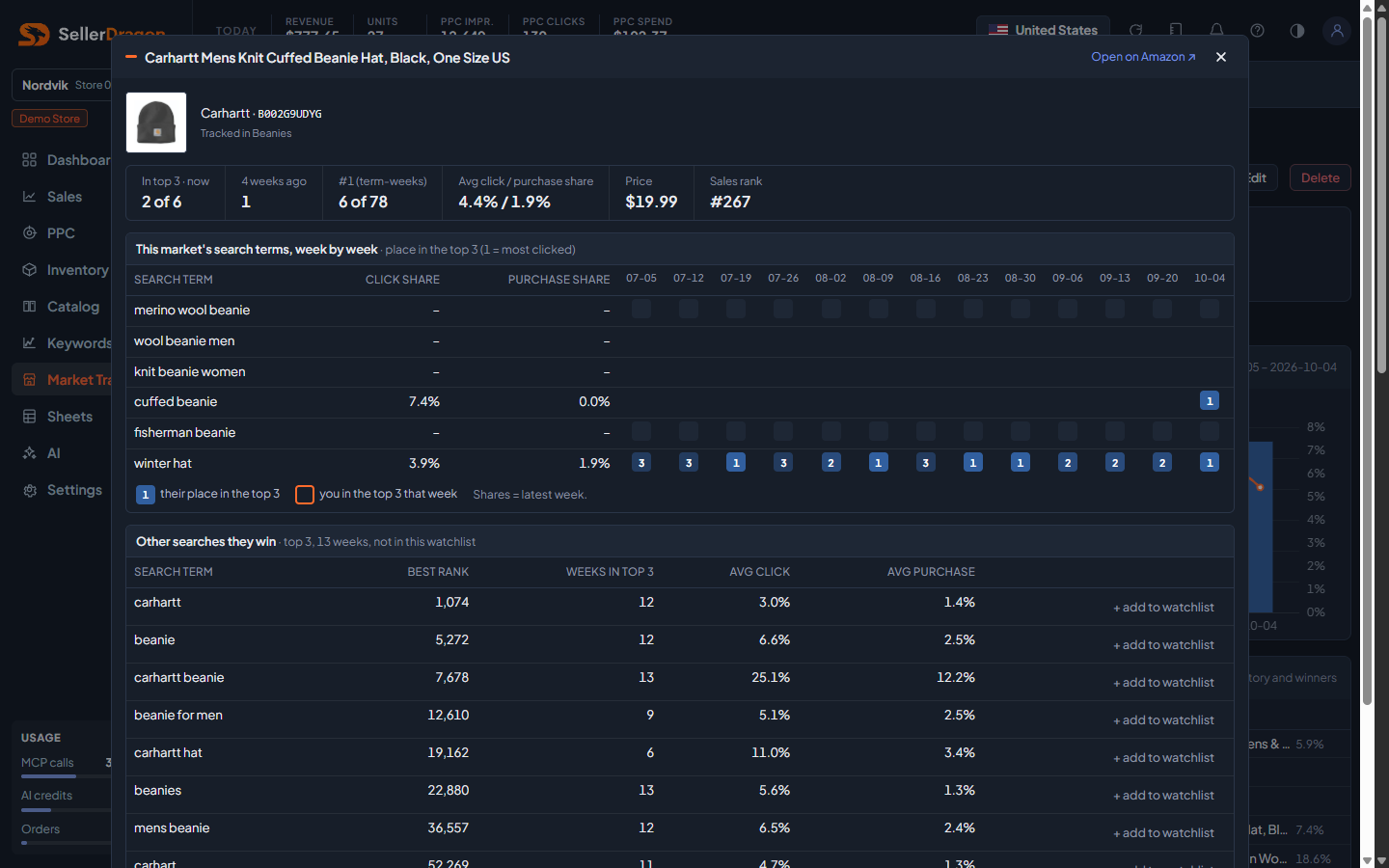
One product in this market: a grid of the watchlist's terms by week showing its place in the top 3 each week (a ring marks weeks you were in the top 3 too), the other searches it wins outside this watchlist (each with an add-to-watchlist button), and a link to open it on Amazon. Track, Untrack or Ignore from here.
Where to go next
- Amazon top searches to find the exact terms shoppers use.
- Search performance (SQP) for your own share on these searches.
- Keyword rankings to track your organic position on them.