

What this page answers
Is the money we spend on a search actually moving our position in that search. Amazon's search data drives this page; PPC only measures whether what you paid for had an effect.
Whose data and scope
- One store and one marketplace. Products are grouped into families the same way the Catalog does: a parent with its variations, or a single product with no parent.
- Search data is Amazon's Search Query Performance (Brand Analytics), which Amazon publishes weekly and often 3 to 5 days late. The line under the intro says which week is the latest available. The report compares the last 4 weeks with the 4 weeks before.
- Paid searches come from your Sponsored Products search-term report. When an ad group advertises several families, its spend on a search is split by each family's share of that ad group's spend.
- Search data sees roughly one in six units sold, so its purchase counts are lower than your real sales. The report reads share movement, which this does not distort.
- One analysis uses 1 AI credit. A family can be analysed once per new data week. Families with too little data (no paid searches of $10 or more and under 50 searches) are greyed out and cannot run.
How to read it
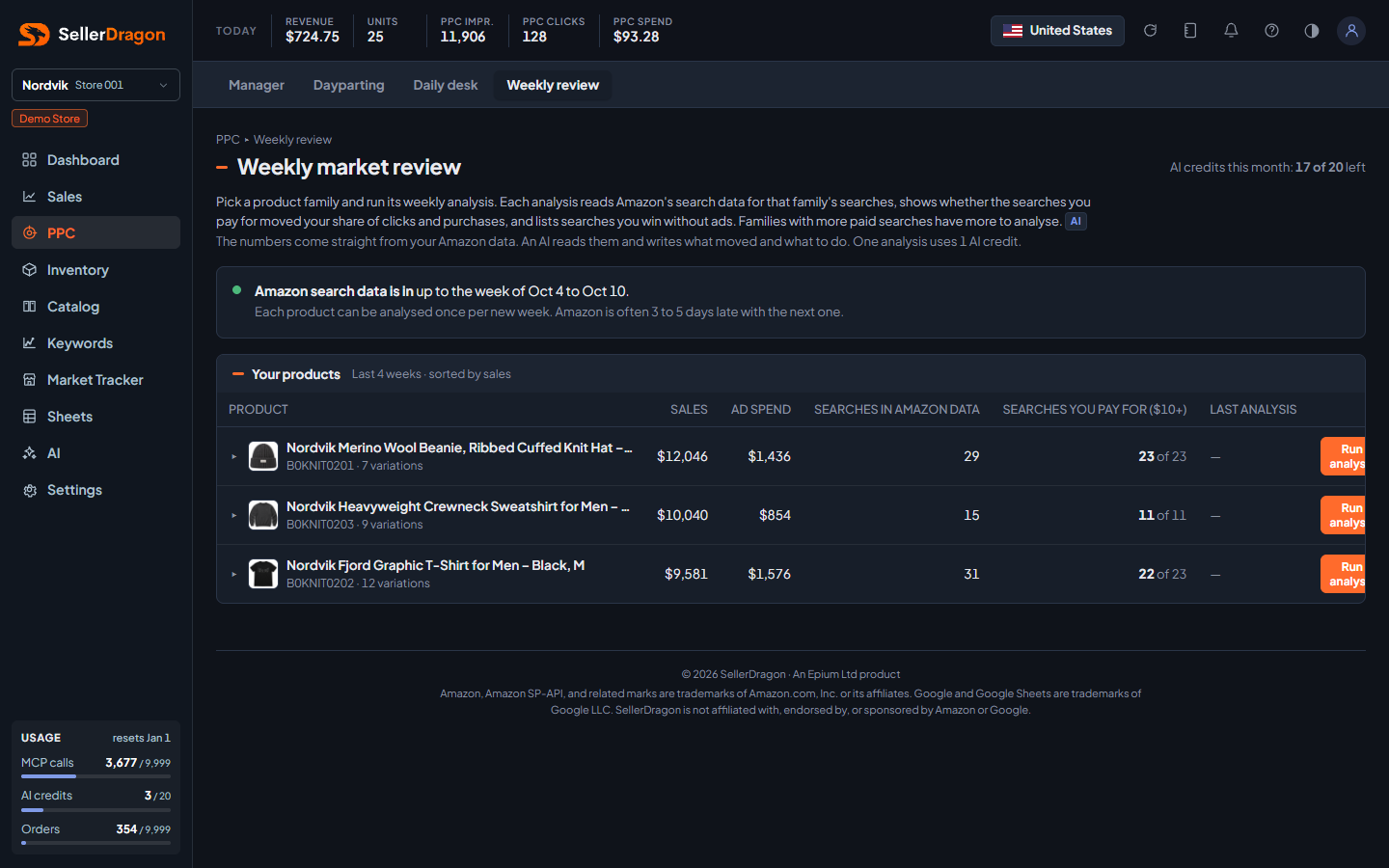
Your products list
One row per family, sorted by sales over the last 4 weeks.
- Sales and Ad spend are the family's last-4-week totals.
- Searches in Amazon data is how many searches the search data reports for the family. Searches you pay for ($10+) counts the searches where the family spent $10 or more in 4 weeks, out of all paid searches.
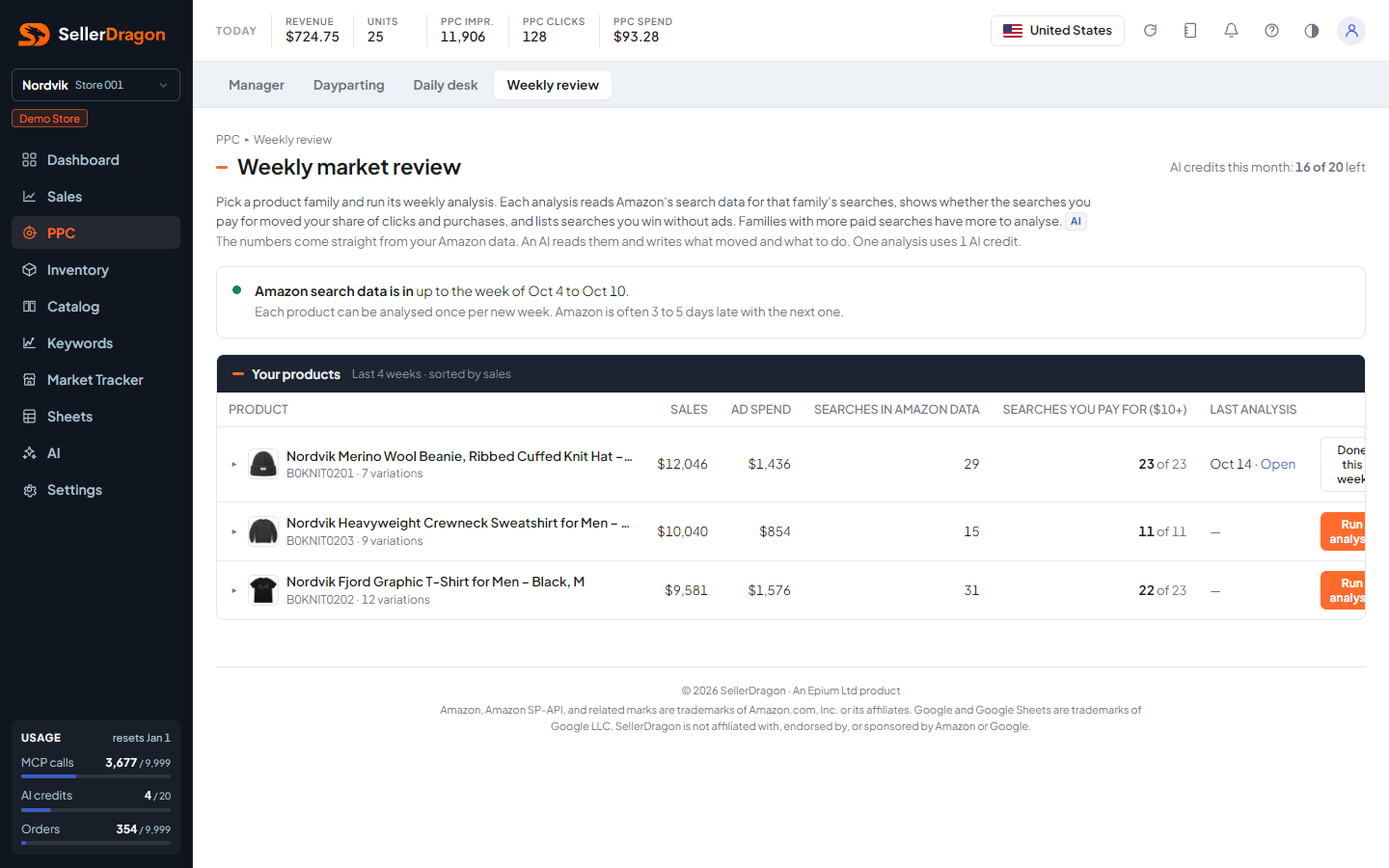
- Last analysis shows the date of the latest report with an Open link, or a dash.
- Run analysis starts a new report. It takes a minute or two and the row shows that it is running. After it finishes the button reads "Done this week" until the next data week arrives.
Report history
The arrow in front of a row expands that family's past reports: the week covered, when it ran, how many paid searches it judged, how many "missing" findings it had, and an Open link.
Tabs and popups
Report popup
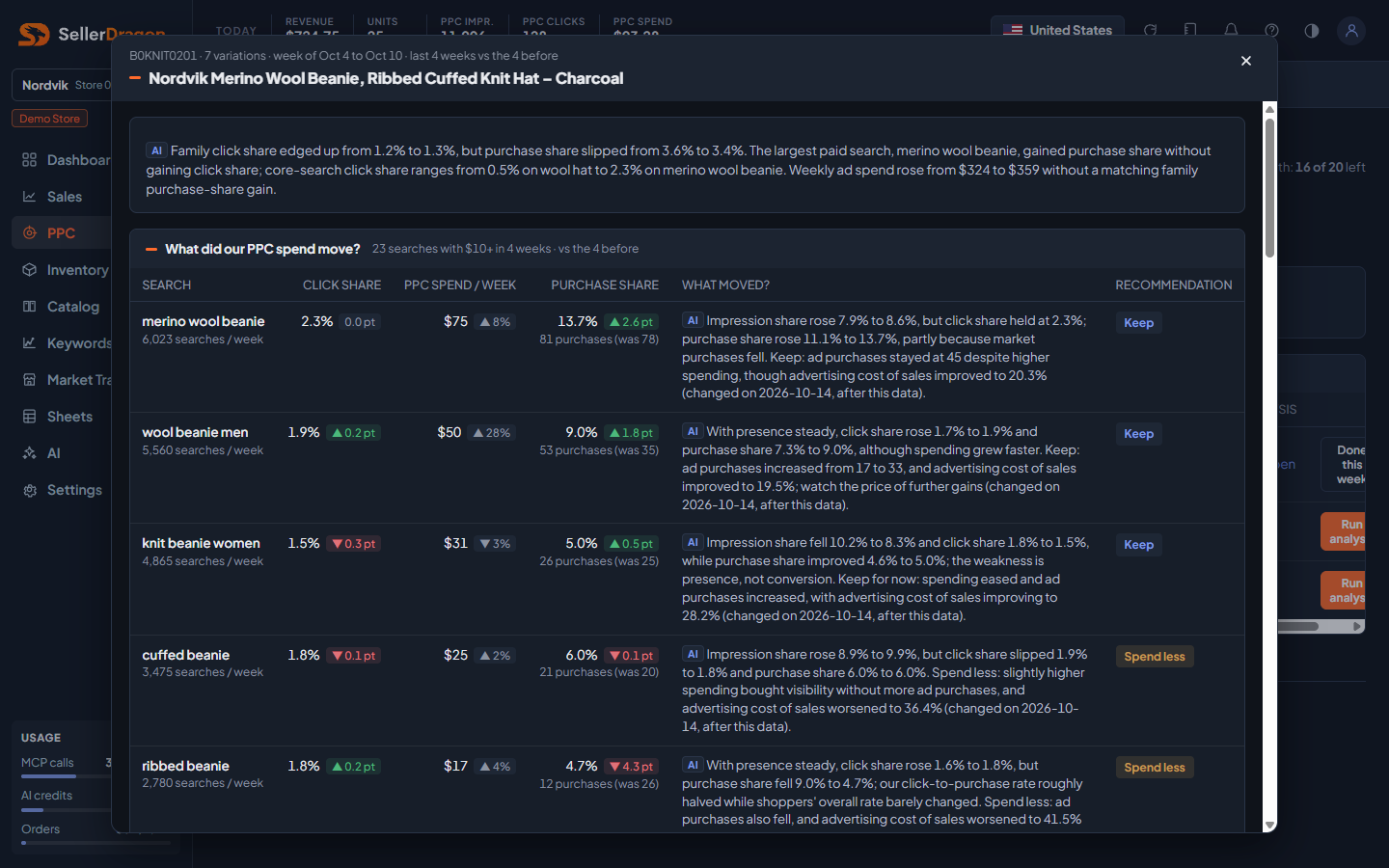
- Summary: a short AI paragraph on the family: click share and purchase share now against before, the largest paid search, and whether weekly spend moved with it.
- What did our PPC spend move?: one row per search with $10 or more spend in 4 weeks. Click share and Purchase share are the family's share of all clicks and purchases on that search, with the change in points. PPC spend / week with its change. What moved? is the AI's reading of the funnel: impression share, click share, purchase share, and whether the change came from the ad push or from the market. Recommendation is one of Spend more, Keep, Spend less, Stop, Route to other product (another of your families already owns the search), or Too early to make conclusions (under 15 ad clicks). A footnote on a row says when the last structural change to that search was made, so you can tell whether the data already reflects it.
- What are we missing?: searches the family wins without ads and searches with room to grow, each with the AI's sentence and next step. This part is a second AI run and may still be writing when the popup opens; it refreshes by itself. If it fails there is a free Retry.
- A price line appears at the end of the summary when your selling price is well above what shoppers paid on these searches.
Where to go next
- PPC manager to change bids or negate on a search.
- Search performance (SQP) for the raw search data behind the report.
- Daily desk for the campaign-level daily read.
Something on this page unclear?
Ask us how