

What this page answers
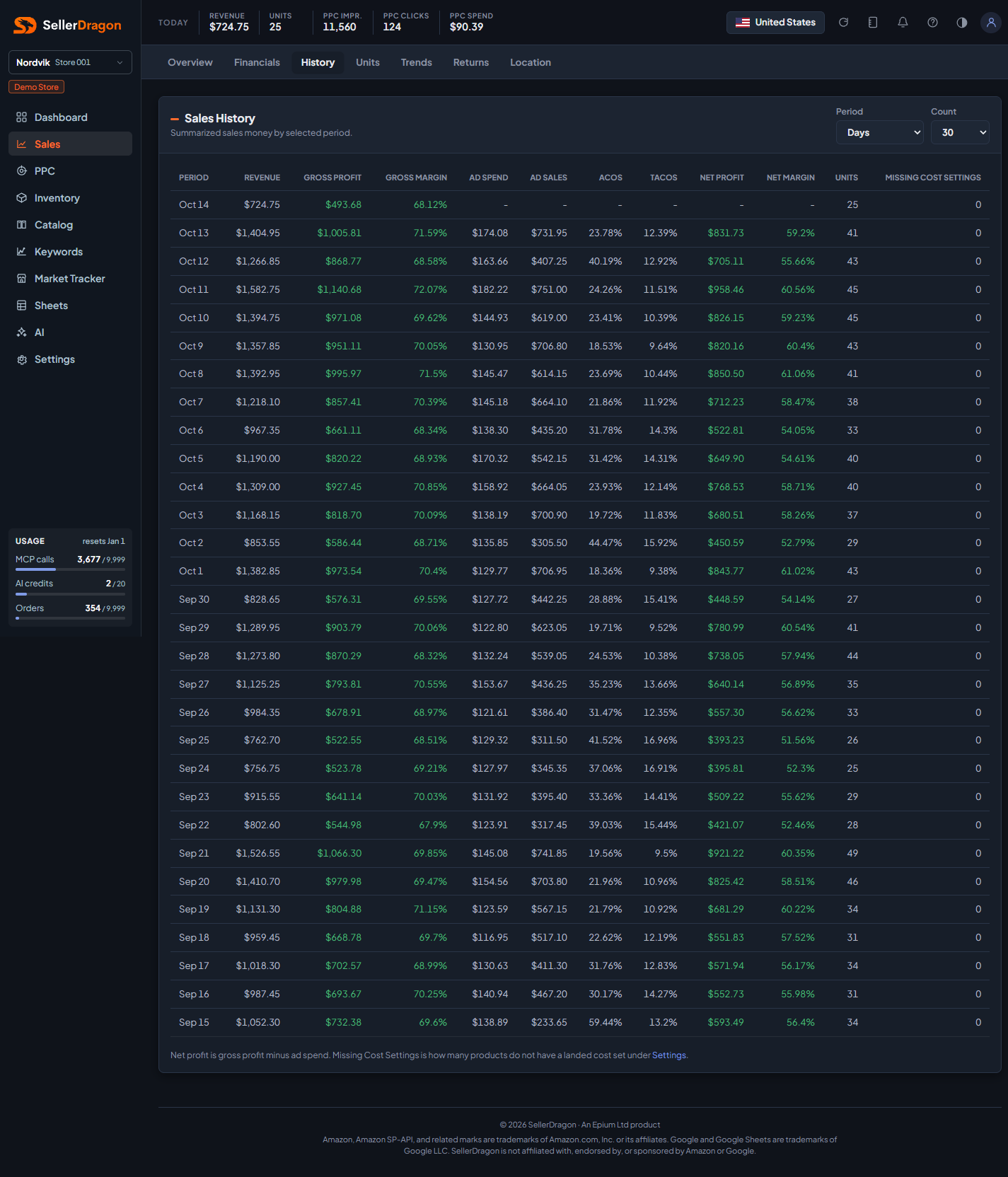
How revenue, profit and ad cost have developed period by period, in one table you can scan or copy into a sheet.
Whose data and scope
- One store and one marketplace.
- Revenue and units come from orders by order date. Ad spend and ad sales come from Amazon Ads with 7-day attribution.
- Gross profit uses the landed cost from Settings, SKU Costs & Timing. The last column counts products that have no landed cost set, so you can see when the profit columns are incomplete.
- The newest row is the current, unfinished period, so its numbers are lower than a full period. Ad columns show a dash until Amazon has reported the ad data for that period.
How to read it
Period and count
Period sets the grain: Days, Weeks, Months or Quarters. Count sets how many periods to list, counting back from today. Days allow 30, 60 or 90, and the other grains have their own limits (up to 52 weeks, 12 months, 4 quarters).
History table
- Revenue is ordered product sales for the period. Units is units sold.
- Gross Profit is revenue minus landed cost. Gross Margin is that as a share of revenue.
- Ad Spend and Ad Sales are the Amazon Ads totals. ACOS is spend over ad sales, TACOS is spend over revenue.
- Net Profit is gross profit minus ad spend. Amazon fees and refunds are not deducted on this page. Net Margin is net profit over revenue.
- Missing Cost Settings is the number of products sold in the period without a landed cost.
Where to go next
- Sales financials for the full ladder including Amazon fees and refunds.
- Sales overview for a chart with a comparison period.
- SKU Costs & Timing to fix missing costs.
Something on this page unclear?
Ask us how