

What this page answers
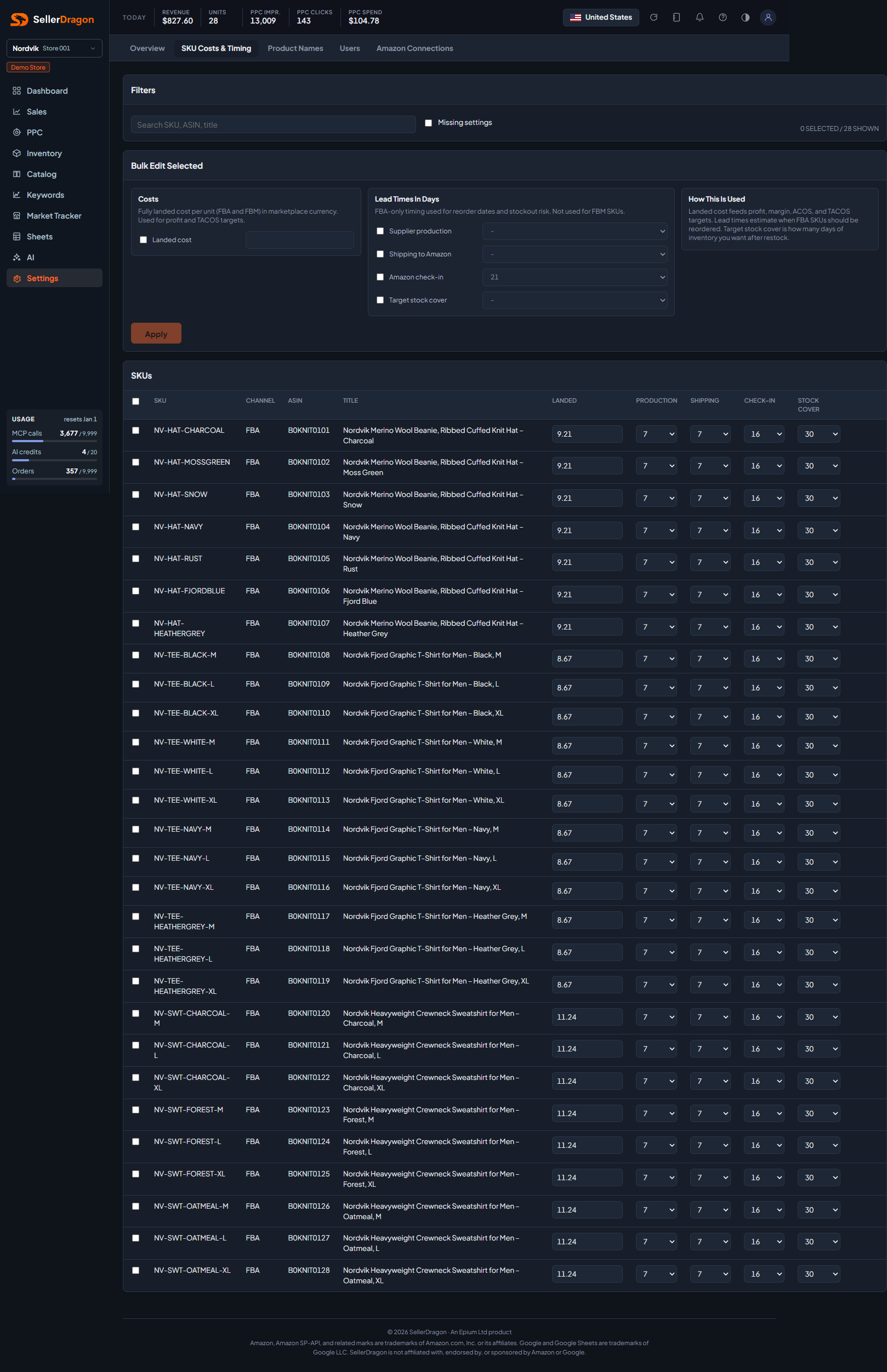
What each unit costs you fully landed, and how long it takes to get more into FBA. Every profit figure in the dashboard and the whole Forecast page read these values.
Whose data and scope
- One store. Every sellable SKU, FBA and FBM, is listed. Values are stored with the store's settings and never sent to Amazon.
- Landed cost is per unit in the marketplace currency, for FBA and FBM alike. It feeds net profit, margin, ACOS and TACoS targets.
- The three lead times and the stock target are FBA only; an FBM row shows a dash and skips them in bulk edits.
- Edits save by themselves a moment after you stop typing. The status next to a row reads Pending, Saving, Saved or Error.
How to read it
Filters
Search by SKU, ASIN or title. Missing settings keeps only rows where landed cost, production days, shipping days or stock cover is still empty.
Bulk edit selected
Tick rows, fill any of the five fields, press Apply. Only the fields you filled are written, and FBA-only fields are never written to an FBM row.
SKUs table
- SKU, Channel (FBA or FBM), ASIN and Title.
- Landed cost per unit.
- Production: days your supplier needs. Shipping: days to get the goods to Amazon. Check-in: days Amazon takes to receive and make them sellable; 21 is assumed when empty. Together they are the lead time the Forecast counts from the day you order.
- Stock cover: how many days of stock you want on hand after a restock. The Forecast uses it as the Default target, up to 90 days.
Where to go next
- Forecast to see the lead times and target at work.
- Sales financials and Sales history, which report how many products still lack a cost.
Something on this page unclear?
Ask us how